Our verdict: 4.9
☆☆☆☆☆ 4.9/5
We love the NoblePro Elite E8i treadmill.
It’s easy to use.
The 4.2 HP motor makes it one of the most powerful UK treadmills and it’s very solid to run on.
The included lifetime membership of the Kinni app makes running fully automated workouts great fun.
The incline and speed automatically adjust based on the workout. And the console buttons are large and simple to work.
The built-in apps allow you to stream TV shows and movies from Netflix, Amazon Prime, BBC Iplayer and others.
Unlike almost every other treadmill with a TV screen, there are no monthly membership fees to pay.
In this NoblePro Elite E8i treadmill review, we’ll show you the ins and outs of our favourite UK treadmill.
We’ve been doing hands-on testing, putting the Elite8i through it’s paces at the CBHQ-HQ.
Below you’ll find full details on how it works, all the features, the things we don’t like, and the bits we love, including why we think the NoblePro Elite E8i is the best treadmill without subscription.
How we rated the NoblePro Elite E8i Treadmill
Price
100%
Speed
100%
Incline
100%
Training programs
90%
Screen
90%
App compatibility
100%
Connectivity
100%
Audio
90%
Software updates
100%
Physical features
90%
All features were weighted and then evaluated against comparably priced treadmills. Where we found other treadmills had superior capabilities we deducted points from the NoblePro Elite E8i.
Finally, the functional scorings were multiplied against their weightings to determine the overall score.
Pros & Cons
Pros
-
Robust and sturdy – you can confidently push your pace -
One of the fastest treadmills available – 22 km/hr (13.6mph / 4:23 per mile / 2:43 min/km) -
Entertainment apps work very well and it’s built-in to the treadmill – no additional subscriptions or hacks needed -
Quiet – you only hear your feet landing -
Free lifetime membership to the Kinni app -
Easy integration with apps like Strava, Peloton, Zwift, Rouvy, Bitgym, Kinomap -
Plenty of workout options – including the ability to design your own -
Fantastic afters sales customer support -
Recommended by elite runners in the UK
Cons
-
The fan is not very powerful -
The speakers are not very loud – but audio is perfect with earphones
What’s covered in this review?
Who is the NoblePro Elite E8i Treadmill for?
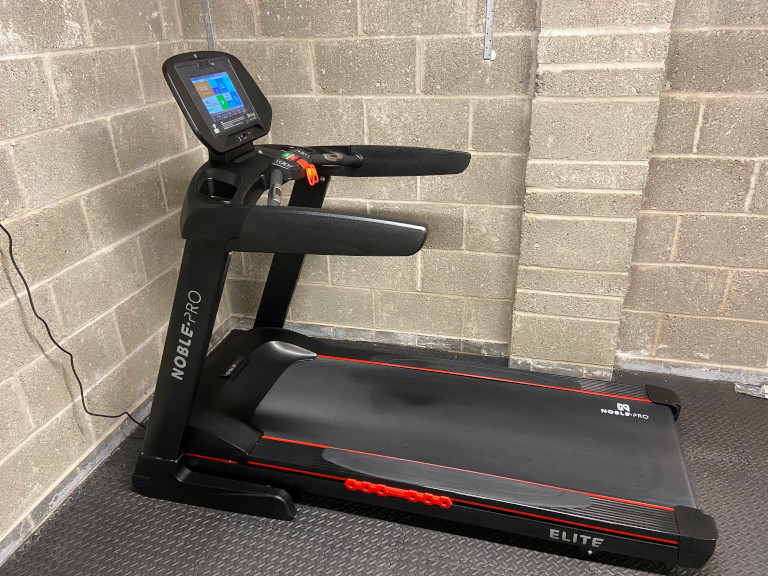
The NoblePro Elite E8i is designed and built specifically for runners. From elite athletes down to total beginners, this treadmill will be suitable for all levels and ages.
We first heard about NoblePro treadmills from an elite marathon runner who uses his treadmill to help him fit in training in and around work and a busy family life.
How the NoblePro Elite E8i Treadmill works
The NoblePro Elite E8i is a robust treadmill for home use that is as good — if not better — than the commercial treadmills available in gyms.
Great for simple fitness workouts all the way up to supporting the workouts of elite runners.
It’s a great way to fit in a workout around busy family life.
Use it to run safely, away from the roads and traffic fumes. Or just avoid sweltering hot days, soaking wet runs or freezing winter months.
If you are worried it might not be fast enough, the British Olympic Association would like a serious word — with a top speed of 4 min 23 seconds per mile, it’s fast enough for even elite runners.
The 4.2 Horse Power motor is more powerful than many more expensive competitors, yet remains whisper quiet when running.
A particular feature that we love is that the touchscreen has built-in entertainment apps (Netflix, Amazon Prime, Spotify, YouTube, and BBC IPlayer). There’s also an internet browser that you can load up any other streaming service, like Disney Plus.
Almost all other treadmills on the UK market require a paid subscription to their fitness programs to access media features.
With the Elite E8i, once you’ve bought it, there’s nothing extra to pay. It comes with a lifetime Kinni membership — chocked full of running workouts for all levels.
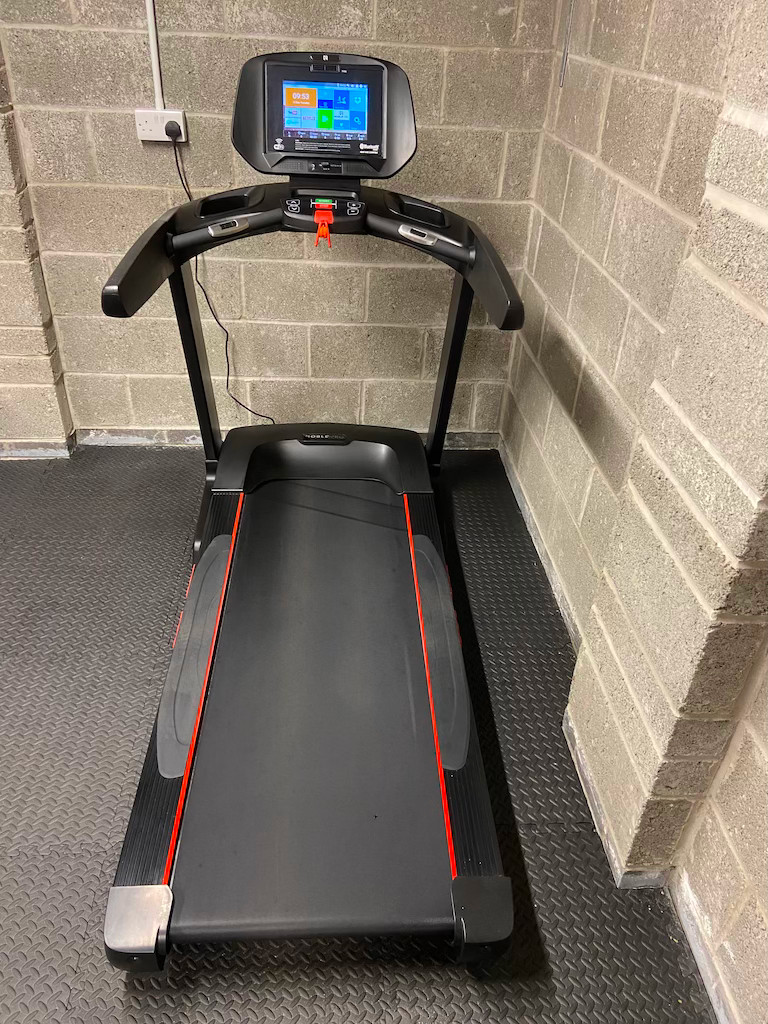
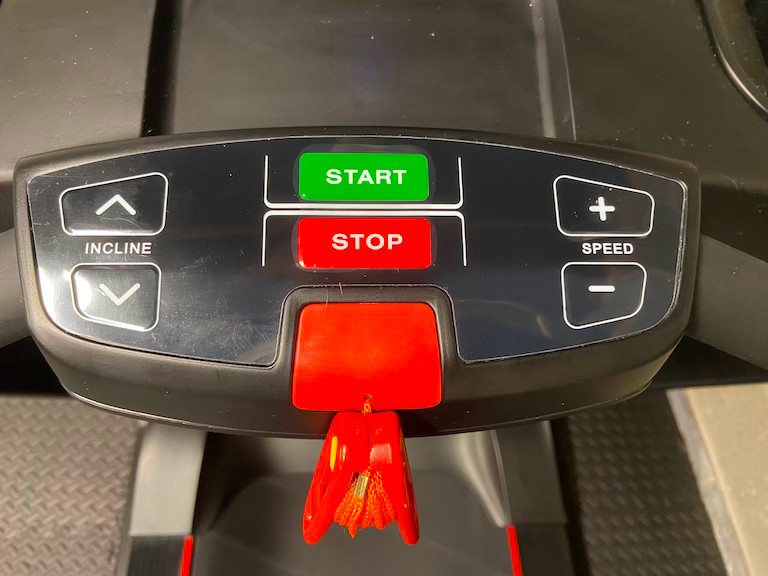
Here’s what’s included:
- Speed and power — an industrial-grade 4.2HP motor allows you to reach a speed of 22 km/hr (13.6mph / 4:23 per mile).
- Incline — Twenty different ranges of incline
- Console — Easy access to immediately start, stop and adjust incline or speed
- Touchscreen with built-in entertainment apps — easy-to-use touchscreen with popular media apps, workout data, and more
- Connects with popular running apps — Strava, Zwift, Rouvy, Peloton, BitGym and Kinomap
- Onboard training programmes — 36 pre-programmed training sessions and 16 slots for you to create custom programmes
- Free lifetime membership to Kinni — Access a huge library of pre-created workouts or craft your own, then run hands-free as the app controls the treadmill
Who is NoblePro?
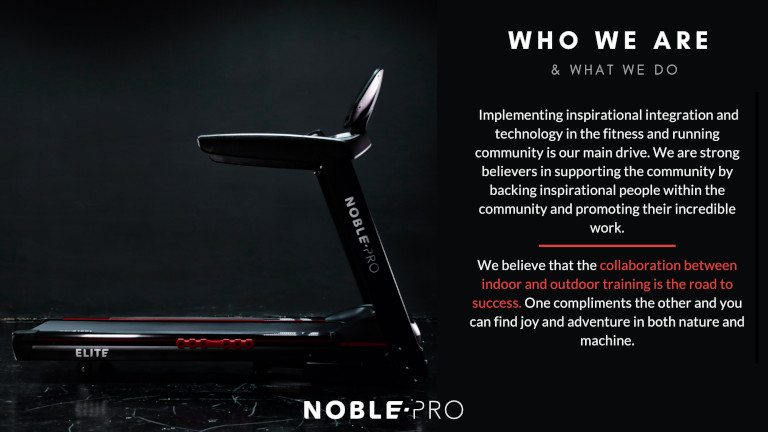
NoblePro is a small UK company based in Milton Keynes that has big goals. They are on a mission to provide treadmills that are ideal for serious runners or for those who’d like to get more out of their treadmills. They aim to change the way runners perceive treadmills and indoor running.
The folk at NoblePro believe that the key to running success is a collaboration between outdoor and indoor running — both environments complement and support each other. Their treadmills are “training partners” or training tools that will help you reach your goals.
With this in mind, NoblePro has designed its treadmills around runners and the needs of the running community. They are always striving to create the best running experiences possible and to encourage running and fitness communities to connect.
They work closely with the running community and support inspirational people within those communities. In collaboration with them, NoblePro ensures that they have “their ears to the ground” to hear the community’s needs and constantly improve their products so that everyone — no matter their level — can reach their goals.
Getting started
When we first ordered the NoblePro Treadmill for review, assembly was a separate cost. We opted to assemble it ourselves and did so without issues in about 30 minutes.
These days, every NoblePro treadmill includes free delivery and assembly. However, if for some reason you prefer to assemble it yourself, it’s simple to do.
Step 1 – Assemble the treadmill
Step 2 – Connect the treadmill to Wi-Fi
It’s very easy to connect to your Wi-Fi. Simply select the Wi-Fi image on the home page and ensure the Wi-Fi is enabled. Select your network and verify the password. A good internet connection is important if you want to use the entertainment apps.
Step 3 – Update the software
Once the treadmill is connected, it will automatically download the newest software version. Every time the treadmill is turned on, the software version will be checked. (Free lifetime software updates.)
Price
☆☆☆☆☆☆☆☆☆☆ 10/10
NoblePro has two treadmills with the same industrial-grade motor — the Elite E8.0 and the Elite 8i. Both treadmills have two pricing packages available: the starter and the runner.
As this is a NoblePro Treadmill Elite E8i review, we’ve gone into detail about the Elite E8i. However, we’ve also listed the pricing and the key differences between the two treadmills so that you can work out which is best for you and your budget.
Elite E8.0
Starter
£
-
8″ LED Screen -
17 Training Programs -
Max Speed 20 km/hr -
Built in Apps (Netflix etc) -
WIFI -
Free Software Updates -
Bluetooth Headsets* -
Audio Input (3.5mm jack) -
Audio Output (3.5mm jack) -
Earbuds -
Cap -
Sweat Towel -
Water Bottle -
Resistance Bands (X5) -
Bluetooth Dongle
Elite E8.0
Runner
£
-
8″ LED Screen -
17 Training Programs -
Max Speed 20 km/hr -
Built in Apps (Netflix etc) -
WIFI -
Free Software Updates -
Bluetooth Headsets* -
Audio Input (3.5mm jack) -
Audio Output (3.5mm jack) -
Earbuds -
Cap -
Sweat Towel -
Water Bottle -
Resistance Bands (X5) -
Bluetooth Dongle
Elite E8i
Starter
£
-
10.1″ Touch Screen -
40 Training Programs -
Max Speed 22 km/hr -
Built in Apps (Netflix etc) -
WIFI -
Free Software Updates -
Bluetooth Headsets* -
Audio Input (3.5mm jack) -
Audio Output (3.5mm jack) -
Earbuds -
Cap -
Sweat Towel -
Water Bottle -
Resistance Bands (X5) -
Bluetooth Dongle
Take a look
Popular
Elite E8i
Runner
£
-
10.1″ Touch Screen -
40 Training Programs -
Max Speed 22 km/hr -
Built in Apps (Netflix etc) -
WIFI -
Free Software Updates -
Bluetooth Headsets* -
Audio Input (3.5mm jack) -
Audio Output (3.5mm jack) -
Earbuds -
Cap -
Sweat Towel -
Water Bottle -
Resistance Bands (X5) -
Bluetooth Dongle
What’s the difference between the Elite E8.0 and Elite 8i?
Underneath the hood, so to speak, both treadmills are the same. They both have an industrial-grade 4.2 HP motor (3.0 continuous horsepower) that’s quiet. The running area is 1500mm x 520mm with RunFlex cushioning. Dimension-wise they are both exactly the same size and weight. Both treadmills have a weight limit of <135 kg (300lbs / 21 Stone).
You also get free lifetime membership to the Kinni app to control your treadmill. Plus you can connect to the latest treadmill apps including Zwift, Rouvy, Peloton, BitGym and Kinomap.
The difference is in the screen, internet connectivity, and speed.
Elite E8.0
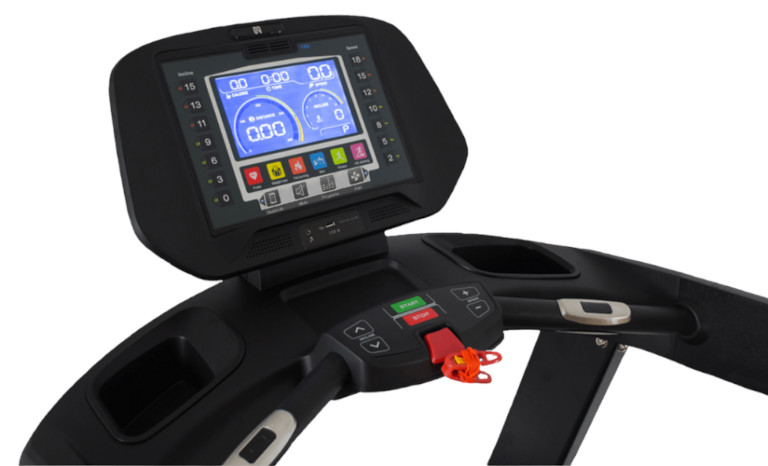
- 8″ LED screen with buttons (no touchscreen)
- No WiFi connectivity
- No entertainment apps
- Top speed — 20 km/h (12.4mph 4:50 min/mile)
- 17 onboard custom training programmes
Elite E8.i
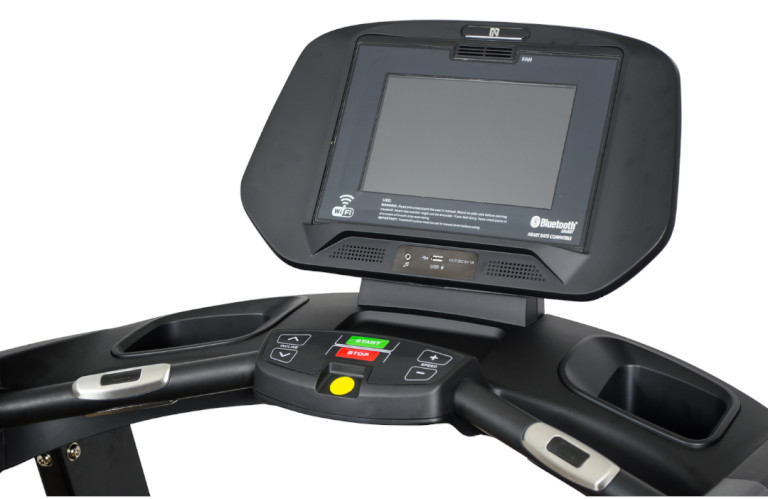
- 10.1″ interactive touch screen
- WiFi connectivity
- Built-in entertainment apps
- Top speed — 22 km/hr (13.6mph / 4:23 per mile)
- 40 onboard custom training programmes
Financing options
For all its treadmills, NoblePro offers the following financing options:
- Klarna – up to 36 months
- PayPal credit – up to 4 months
- Payitmonthly – up to 12 months
To get close to similar specs from Bowflex, NordicTrack or ProForm you have to pay several hundred £ more upfront. You’re also then tied into their monthly subscriptions to keep access to the entertainment packages.
Overall the Elite E8i is the best pound for £ treadmill we’ve found.
NoblePro Elite E8i treadmill review — A closer look at the features
Speed
☆☆☆☆☆☆☆☆☆☆ 10/10
Of all the treadmills that we reviewed, we found that the NoblePro Elite E8i was one of the fastest. The top speed is 22 km/h or 13.6mph which means you can run a mile in 4:23. Most other treadmills have a top speed of 20 km/h.
The NoblePro treadmills are solid, so you feel safe running at the top speed as there’s no wobbling of the console or base.
All-in-all, we gave the NoblePro Elite E8.i a 10/10 for being one of the fastest home treadmills out there.
Incline
☆☆☆☆☆☆☆☆☆☆ 10/10
The NoblePro treadmills have 20 different ranges of incline or 21 levels.
An incline level is the number of stops between the minimum and maximum incline of a treadmill. Of course, this will vary between treadmill brands so it’s best to find out from the manufacturer if you’re looking at an alternate brand.
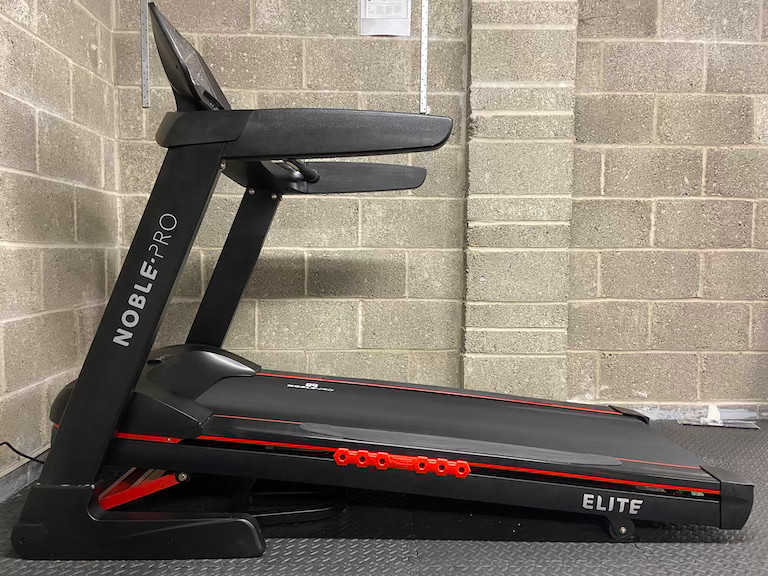
The NoblePro has 21 levels from 0 to 20 and each level is a 0.5% incline. This means that for every 100m, you climb 0.5m vertically.
When running on a treadmill, you have no wind resistance. As such it’s typically accepted that a 2% incline on a treadmill is equivalent to flat outdoor running.
With that in mind, the default incline of the Elite 8i is 2%.
However, if you really want to get to a 0% incline NoblePro has developed Zero Shoes to adjust the treadmill to a default incline of 0%. (The shoes look like special blocks to put underneath the roller to lift the base up by 2% so that it’s level.)
If you’ve been comparing treadmills, you might notice that some treadmill manufacturers offer a negative decline. This can vary from between -5% to -3% and is supposed to mimic running downhill.
In our opinion – a negative incline toward treadmills is simply a marketing gimmick.
Downhill running is an important part of a serious runner’s training. It teaches you to move your legs faster and helps build supporting muscles.
A key part of running downhill is to lean into the run and to learn not to brake with your thighs.
In our opinion, you can’t achieve this realistically on a treadmill, there is no substitute for actually leaving your house and running down a real hill.
So, while we’ve compared it to other treadmills with high ranges of incline, we think the Elite E8i, hits the perfect balance between incline requirements and practical design.
Training programmes
☆☆☆☆☆☆☆☆☆☆ 9/10
The NoblePro Elite E8i has 52 onboard training programs — 36 pre-programmed options and 16 openings for you to create and save your own custom training programmes.
You can access the workouts by selecting Sports Center on the homescreen.
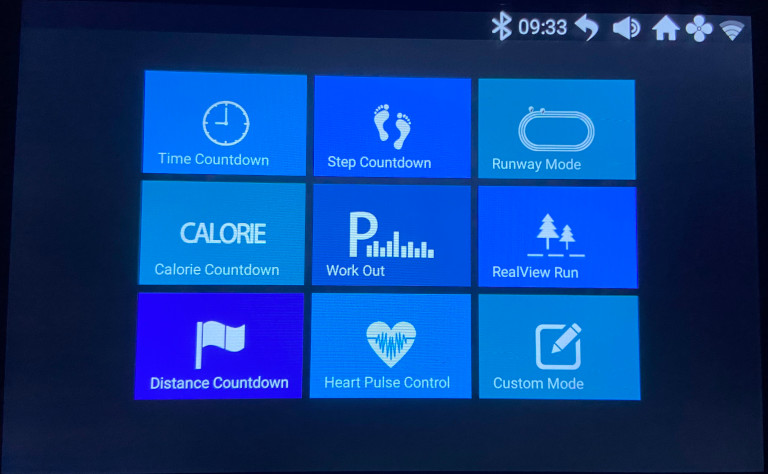
From there you have the option to select your preferred mode.
- Time Countdown — Set your desired workout duration and a timer counts down to show you how long you’ve run. Great if you have a simple goal of running for a specific duration.
- Step Countdown — Just aiming to run or walk a certain number of steps? Use the step countdown to help you keep track.
- Runway Mode — A virtual running track that shows you the number of laps you’ve run.
- Calorie Countdown — Choose a calorie goal and run till they’re burned off.
- Work Out — You can access the 36 pre-programmed runs here, the profile is different on each, but you can customise the duration.
- RealView Run — There are a select number of programmes that are like virtual runs.
- Distance Countdown — Set the desired distance and just run until you’ve covered it.
- Heart Pulse Control — Connect a Bluetooth heart rate monitor and set your desired heart range.
- Custom Mode — Build your own workouts, by breaking them into 20 steps with custom speed and incline.
Work Out – 36 onboard training programmes
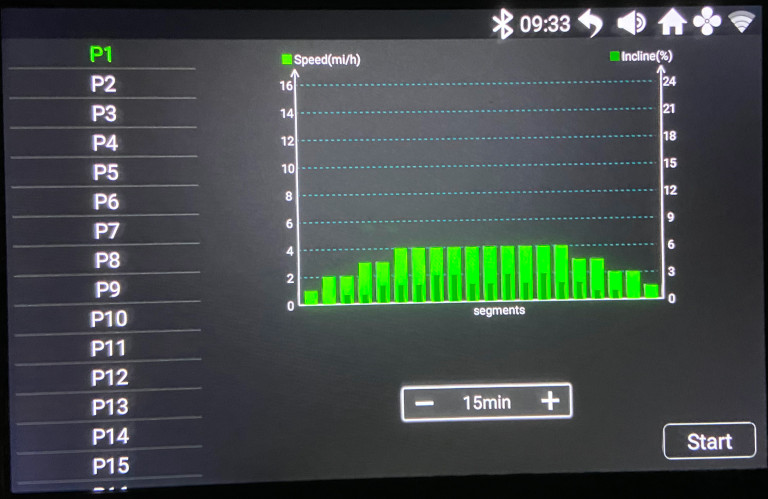
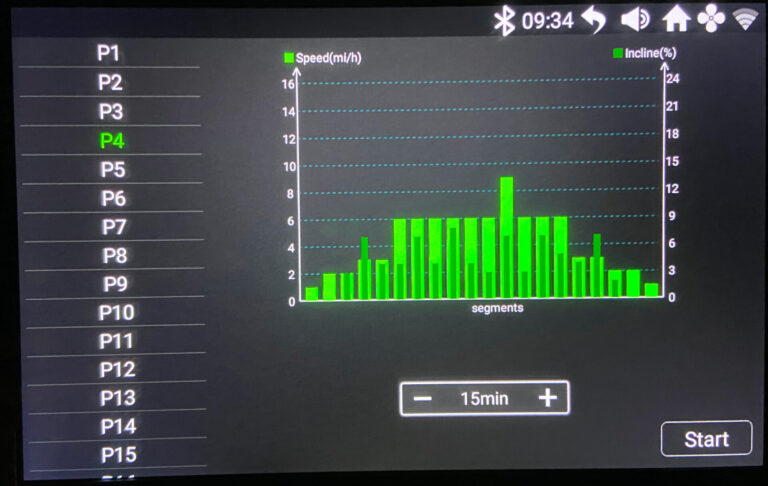
Select your preferred program on the left. Every program has 20 segments that automatically adjust depending on the duration of your run.
During the run, the screen shows the percentage completed and highlights which graph bar you are currently on. Every 5% it moves to the next bar.
NoblePro Sidekick app
☆☆☆☆☆☆☆☆☆☆ 9/10
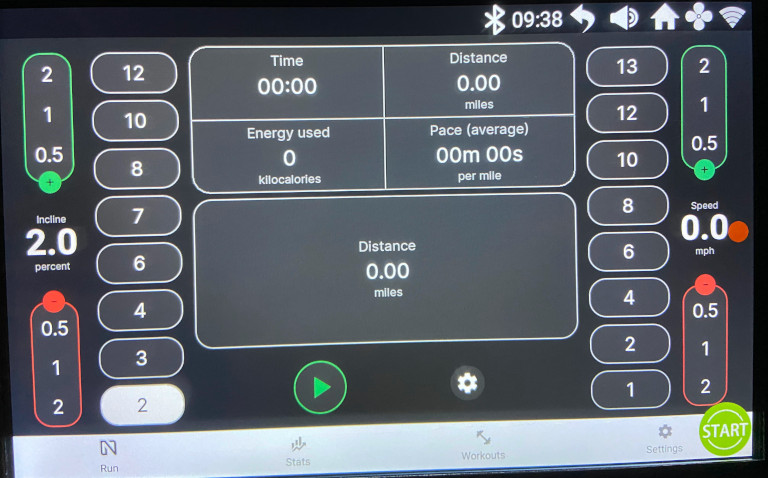
The NoblePro Sidekick app is the built-in app that’s preloaded onto the treadmill so that you can view your running data.
You can quickly ramp up or down the incline or speed by selecting one of the numbers or increment changes.
During the run, it shows you the time, distance, speed, calories burned and pace. You can tap on one of these to change the measurement displayed.
Runway Mode
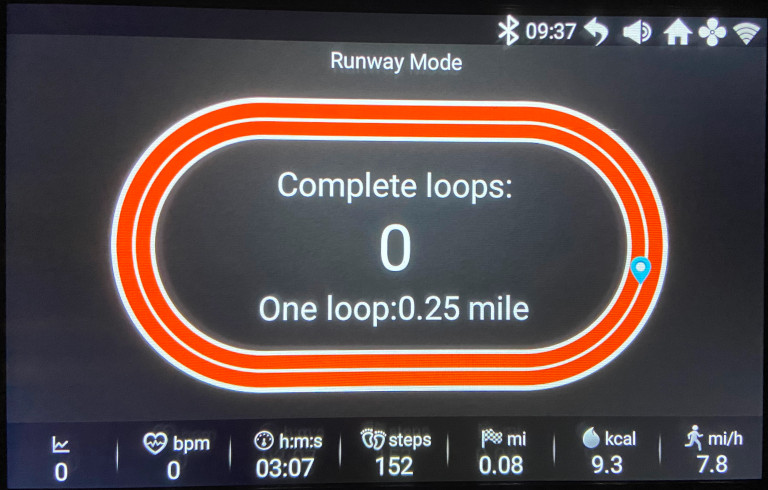
During one of the countdown programs or runway mode, you see a virtual track of how many laps you’ve completed on a track. You can also monitor incline, heart rate, time, steps, distance, calories and miles per hour. (You can change from the metric to imperial system very easily.)
One thing that’s missing when you compare the NoblePro Elite E8i with similar-priced treadmills, is instructor-led workout sessions.
NordicTrack and ProForm have IFit and BowFlex have the JRNY app. These app integrations allow you to follow along while an instructor motivates you — they do, however, come at a monthly price.
The NoblePro has plenty of workout options to choose from. We particularly like the fact that it has the option to save your own custom workouts on the treadmill. We use this as an easy quick walking plan for the kids when they want a go or a simple go-to for a 60-minute easy pace run.
So if you really want an instructor on the screen, NoblePro is not for you. If however, you don’t want the monthly fees, you’ll find all the workouts you need built-in or included via Kinni.
Screen
☆☆☆☆☆☆☆☆☆☆ 9/10
The NoblePro Elite E8i, has 10.1″ touchscreen that you use to access the apps, workouts and settings. You can also adjust the background with a few built-in options.
Your run data is displayed along the bottom of the screen so you can always monitor your stats. When you’re watching Netflix or similar you can swipe it down out of the way if you want.
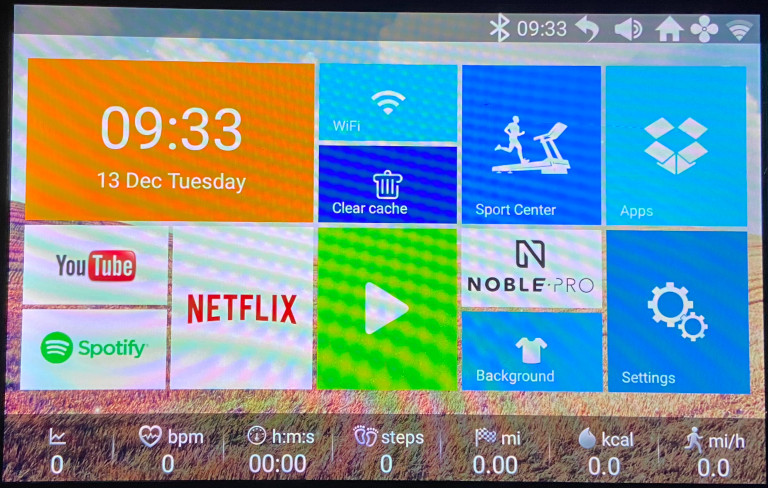
You can access the apps directly by selecting the relevant app displayed on the home screen. We found that all the apps worked very well and the connection was good. Of course, you do need a strong internet connection for this.
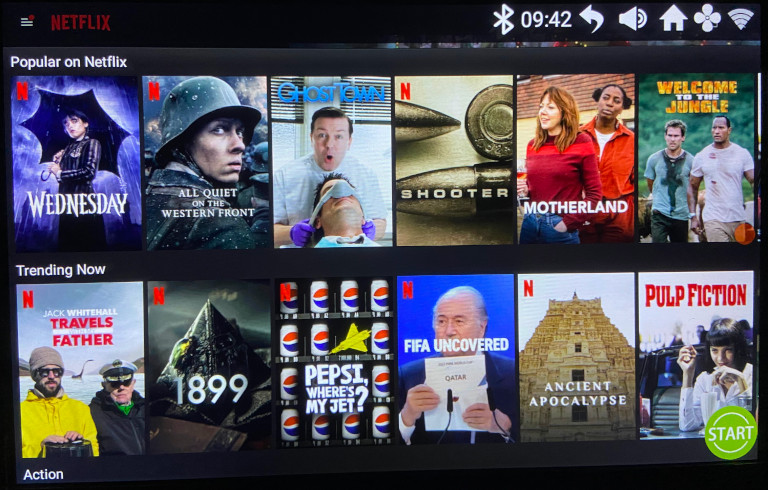
The connection to Netflix is quick and you can easily find the series or movies that you’d like to watch.
We also had no issue connecting to Amazon Prime or Spotify.
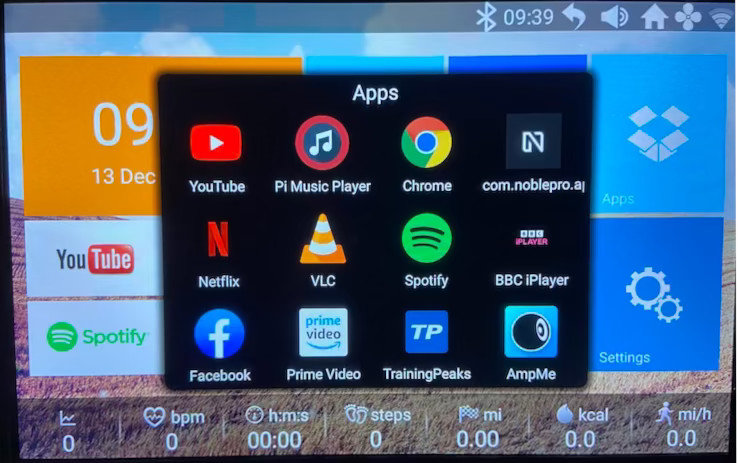
You can connect to other apps by selecting the Apps block.
A particular winning feature for the Elite E8i — which is missing on most other UK treadmills — is being able to connect to Google Chrome.
This means you can access anything on the Internet. We connected a Disney+ account and streamed shows during runs.
The YouTube app is a bit annoying that you can’t search in it, but rather have to browse videos. So if there’s something in particular you need to access it on your phone, then get it from your history in the YouTube app. To be fair, this is not anything that NoblePro have control over, it’s just how YouTube have their app setup.
We took one point off the screen review as we found a few other treadmills that had larger size screens — for example, NordicTrack Commercial 1750 has a 14″ screen. But in contrast, it’s £250 more expensive and locks you into IFit each month.
The touchscreen and availability of entertainment apps plus access to the Internet are one of the best features of the Elite E8i.
Of the other brands we reviewed, we found that most require an extra cost of a monthly subscription.
- JRNY from Bowflex is £17.49 a month (after the 1-year free trial)
- IFit with NordicTrack / ProForm is £31.91 a month
If you don’t have a subscription for the other treadmills, you can access a limited number of workouts, and none of the apps.
There are a few sites online that show how to hack the IFit lockdown and put those treadmills into maintenance mode to allow you to access Netflix or YouTube. However, manufacturers are constantly updating their software to prevent non-subscribers from using shortcuts or “hacks” to access the content.
It’s a constant battle against the manufacturer whereas NoblePro makes it super easy to access almost anything you want. A huge pro for us!
App compatibility
☆☆☆☆☆☆☆☆☆☆ 10/10
Another bit we love about the NoblePro treadmills is that they effortlessly connect to other treadmill apps such as Zwift, Peloton, Rouvy, BitGym, and Kinomap. Not only that, but NoblePro has gone a step further and developed its own running app too — the Kinni App.
Kinni App
Kinni is a flexible customisable running app that is designed for indoor and outdoor use. It’s ideal for planning, creating and tracking workouts. You create your own custom voice prompts to keep you motivated or guided during your workout.
The Kinni App is not just for NoblePro treadmills — it can connect to any Bluetooth-compatible treadmill and controls it so that you can run hands-free.
It has a feature called FitCast that connects your device to other apps like Zwift, Rouvy, BitGym and Peloton. You can then use non-compatible treadmills with apps such as Zwift. It also works the other way in that FitCast will send your data to those apps.
How to use the Kinni App
Use the built in Kinni app training plans:
Browse for the training plan that best suits you.
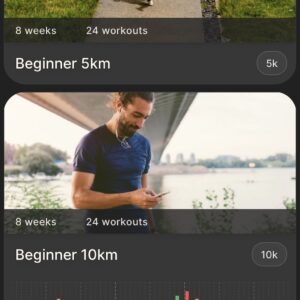
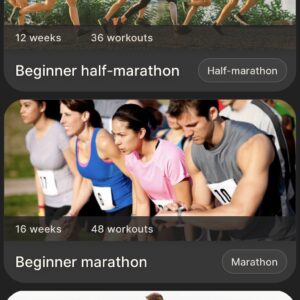
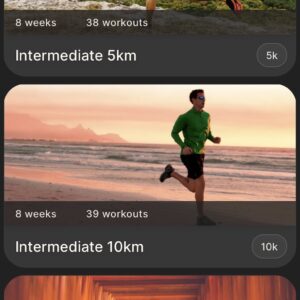
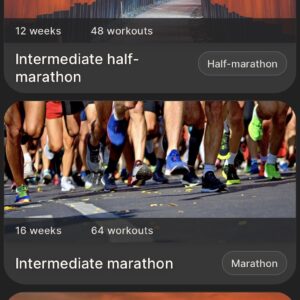
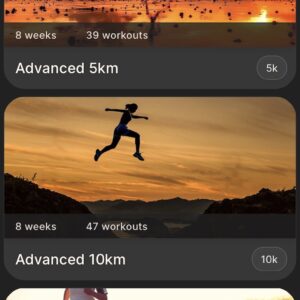
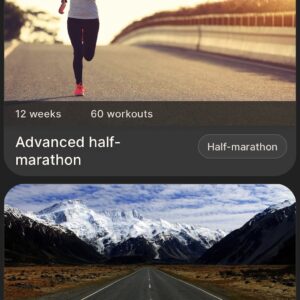
Choose the plan you want to run:
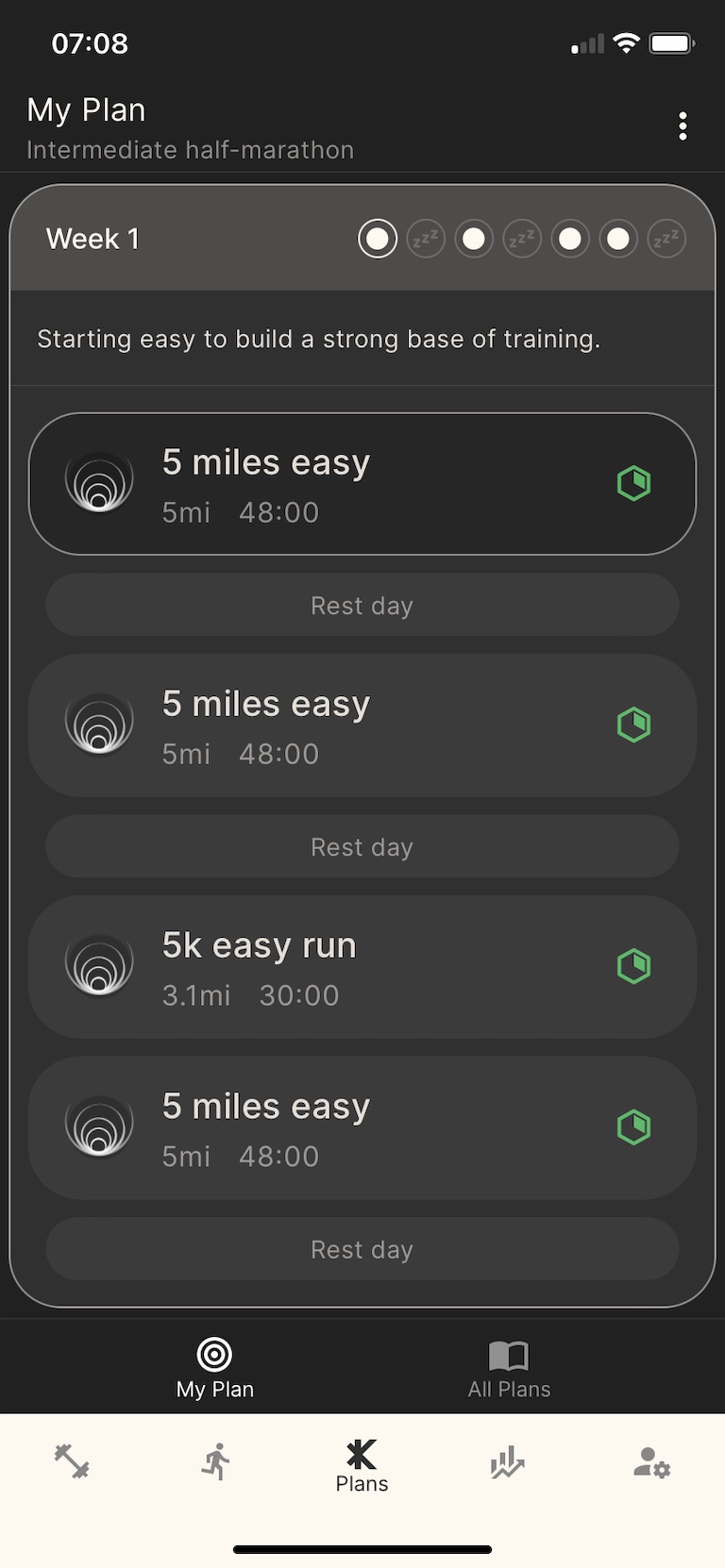
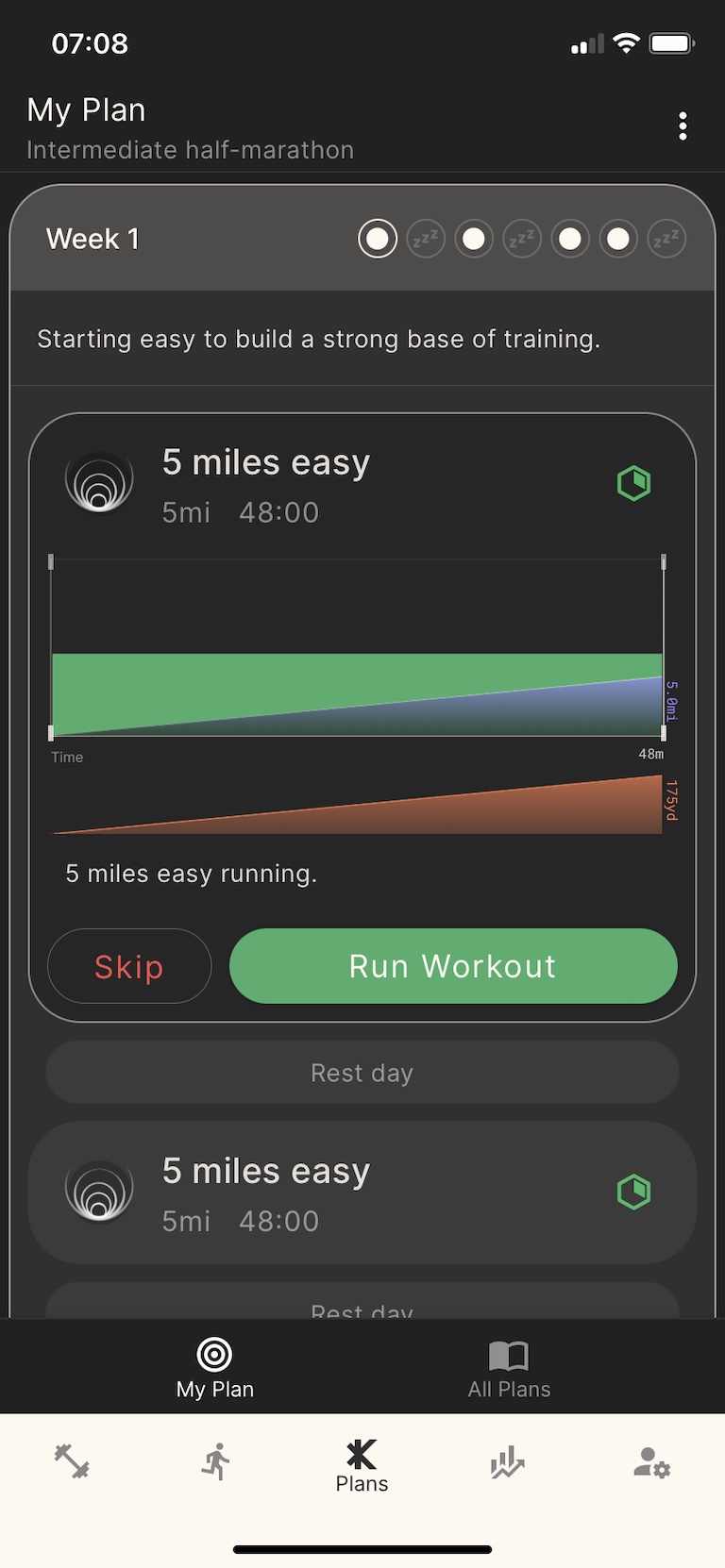
Scan and connect via Bluetooth to your treadmill
Once you’ve built your workout, it’s time to connect to your treadmill. It’s super easy to scan and connect to your treadmill.
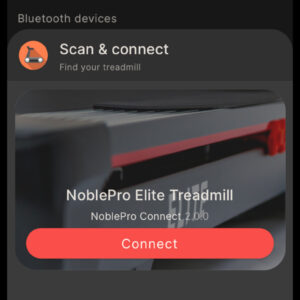
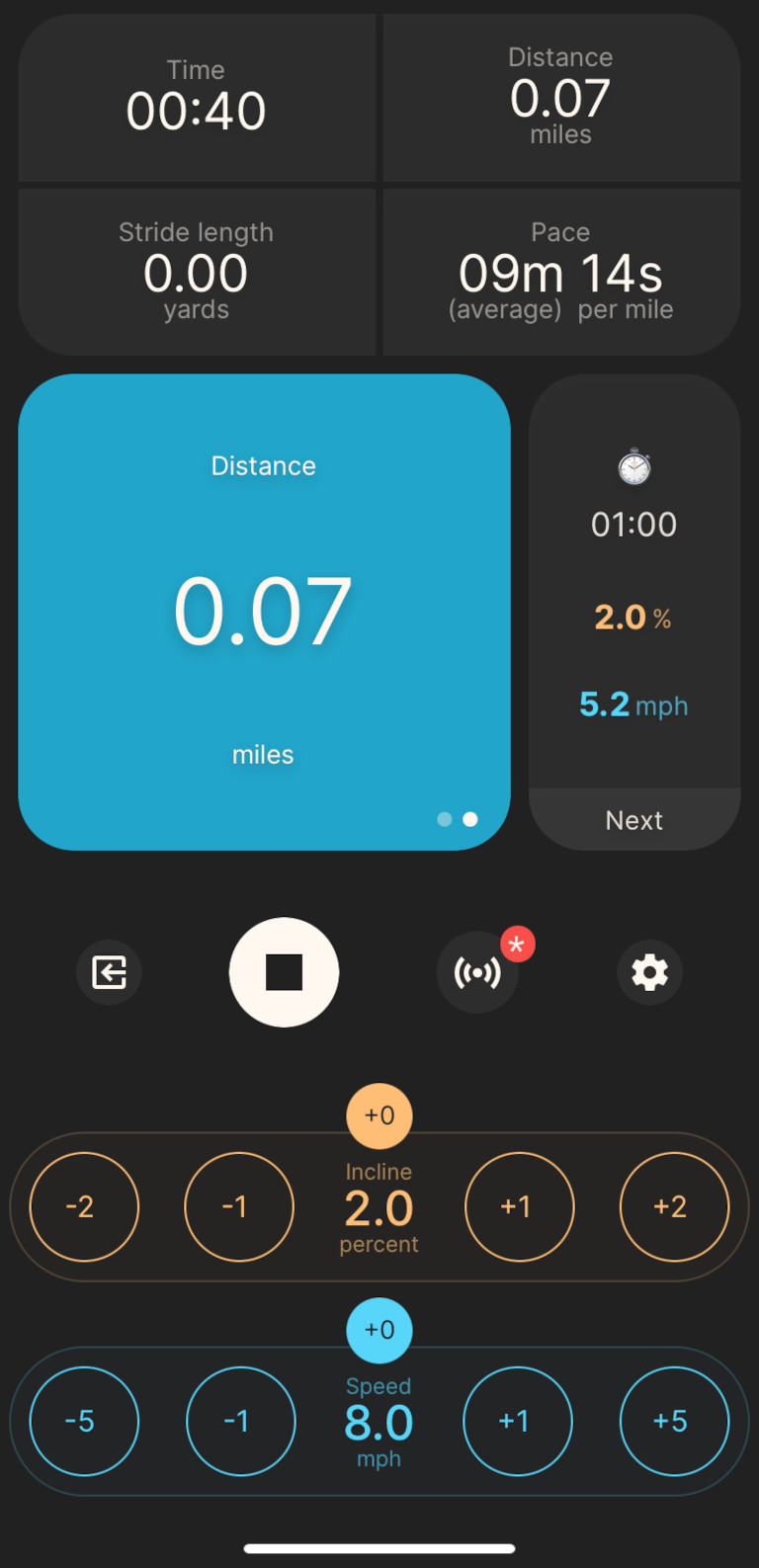
Workout fully controls the treadmill
Once connected, you can start your workout and the Kinni app will control the treadmill for you so that you can run hands-free.
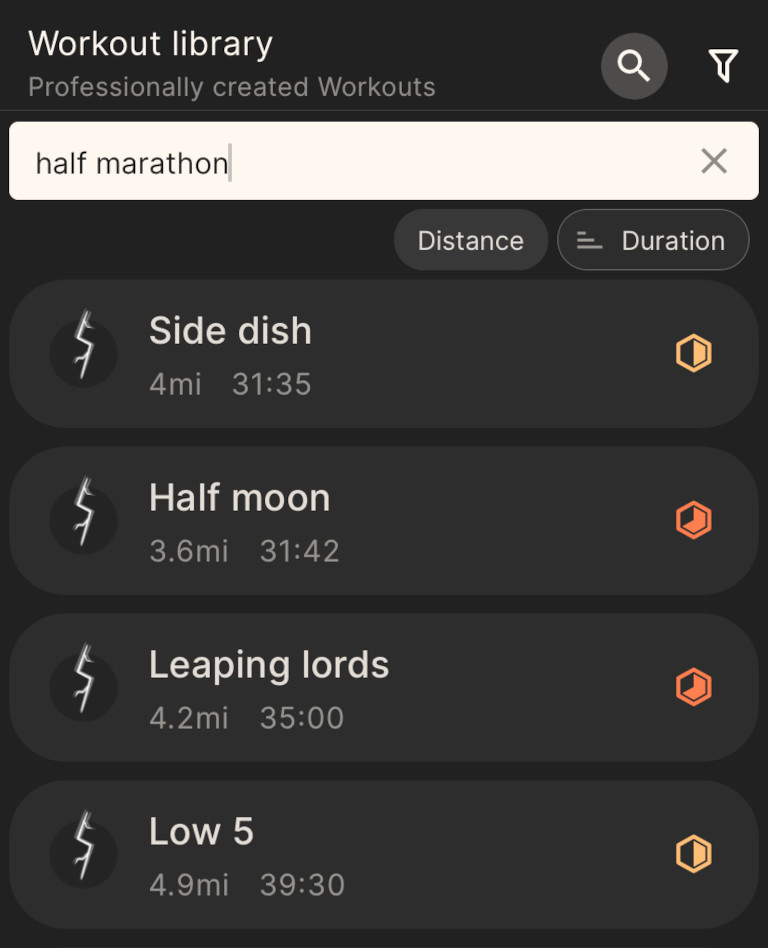
Alternatively Search for existing workouts in the workout library
The Kinni app has over 100+ professionally created workouts for all levels, workout types, and goals.
You can enter your preferred workout into the search bar or scroll through the workouts.
You can opt to have voice-guided workouts to keep you focused without needing to keep looking at your screen. You can also add your own custom voice prompts to keep you motivated.
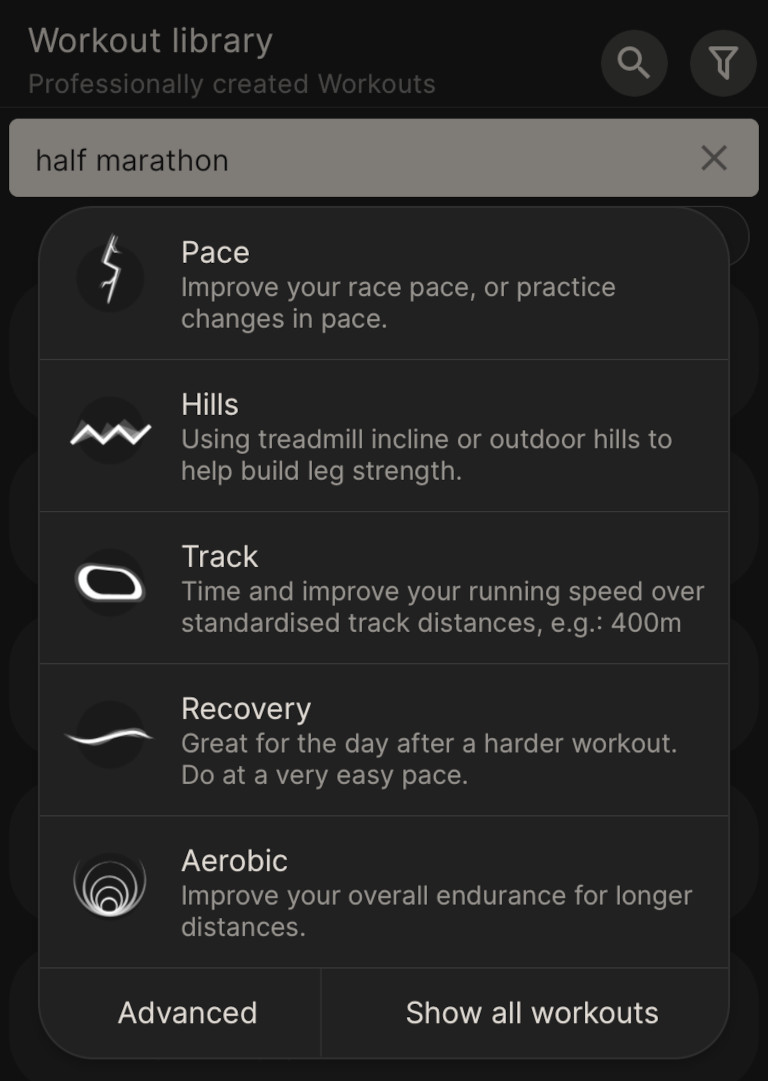
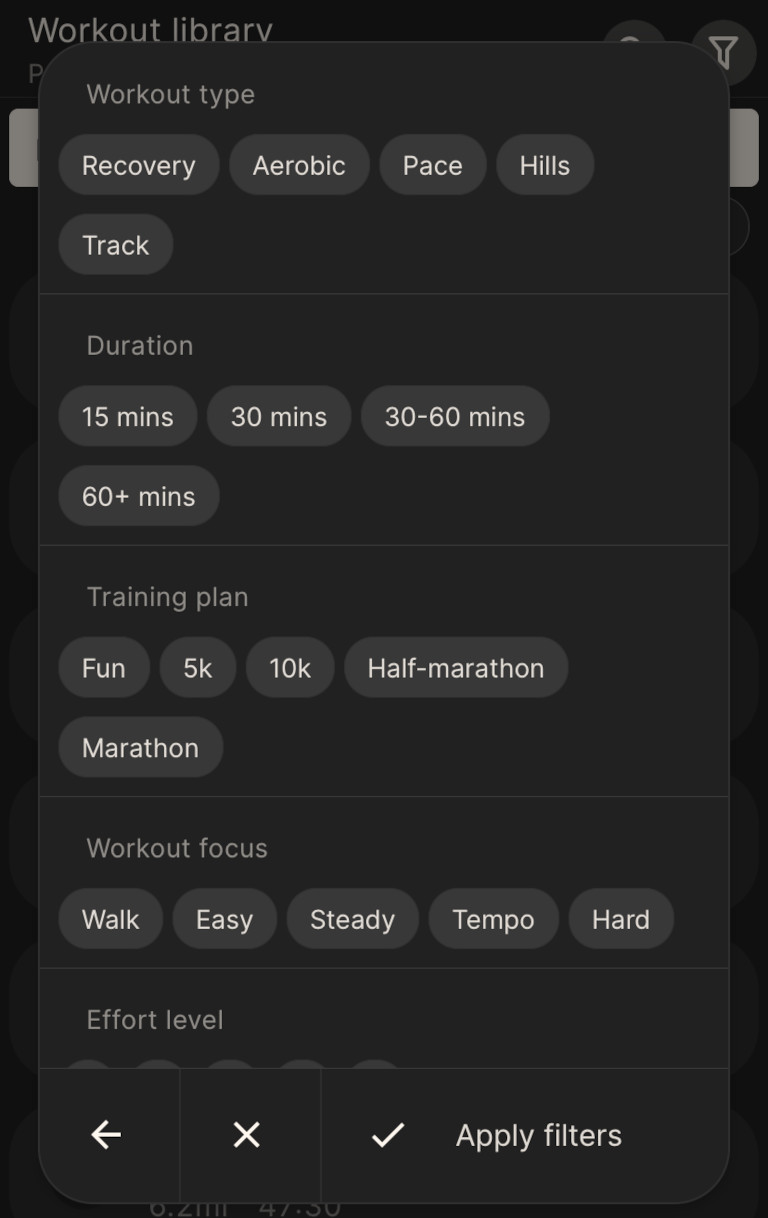
Use filters to further drill down into the workouts
Select Advanced to access filters to refine your search.
You can then choose from various options such as your workout type, duration, training plan, and workout focus.
Create and use your own workouts using the workout builder
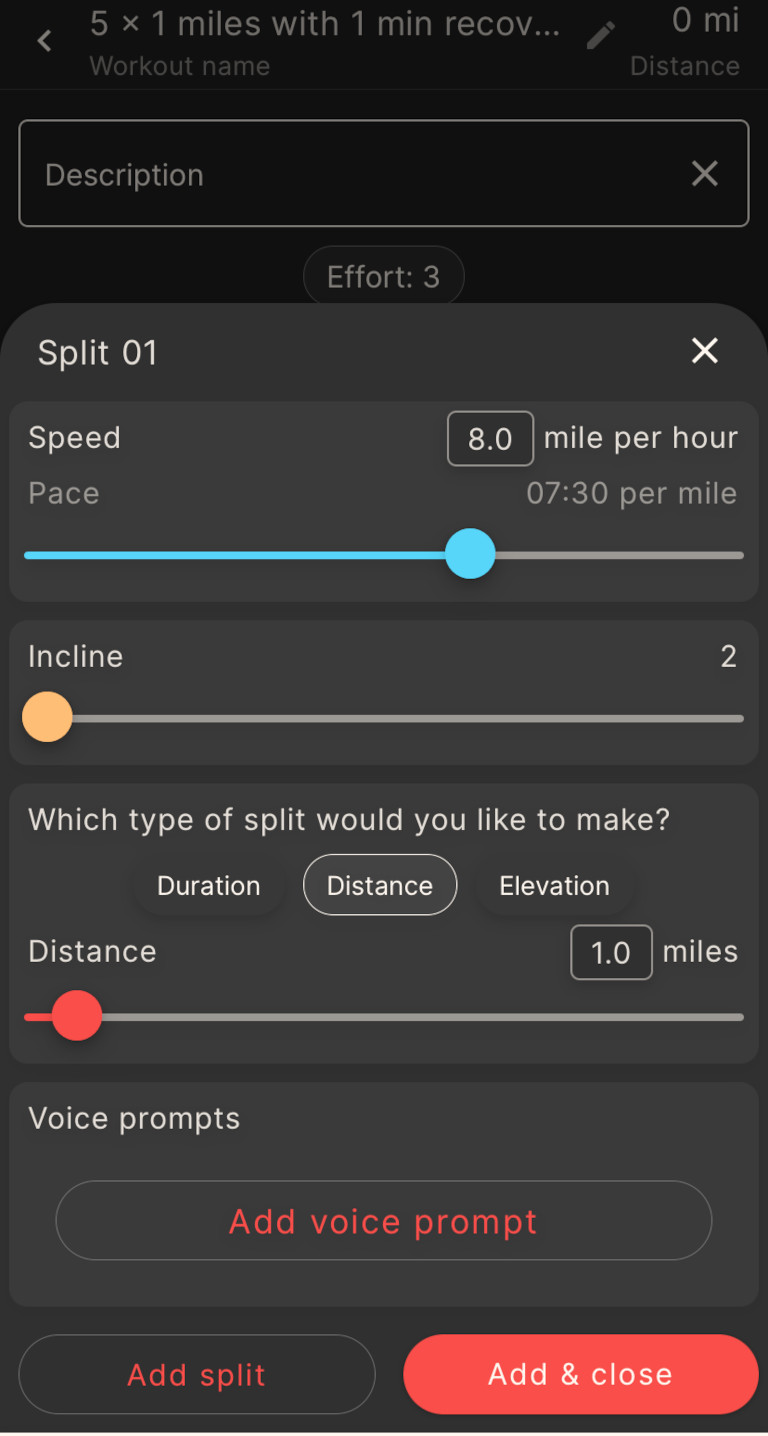
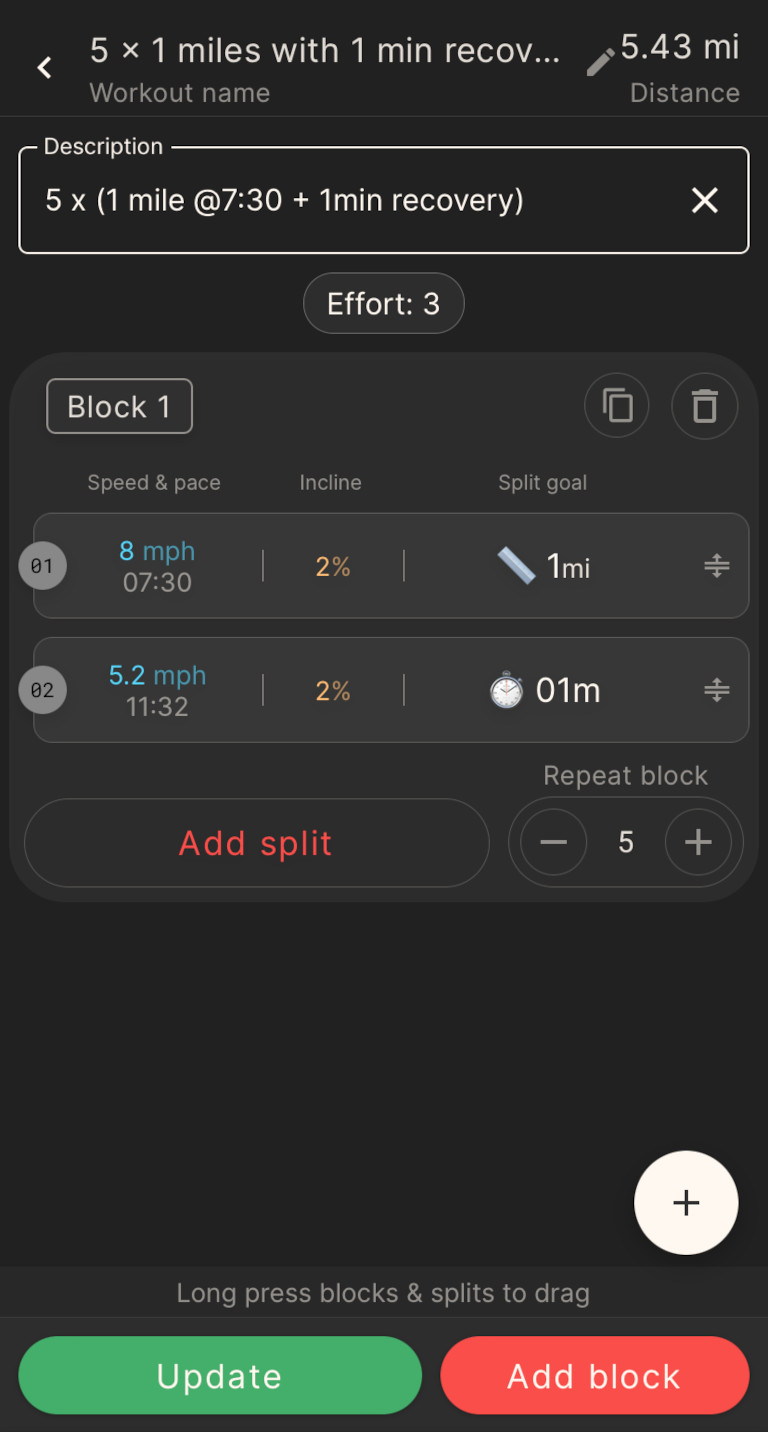
The Kinni app makes building workouts super easy. You can add as many or as few splits as you would like.
For each split, you can set the speed, incline and distance. You can also add your own voice prompts if you so choose.
Create custom workout
Add splits
Kinni connects to other treadmill brands and training apps
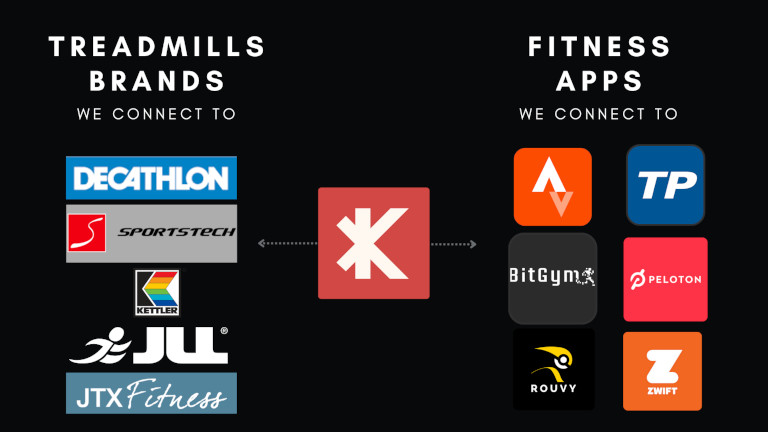
The Kinni App is not exclusively for NoblePro treadmills. It connects to other Bluetooth-enabled treadmills. At the time of writing, we counted 47 other brands that it can connect to. It could also control the majority of them.
Kinni also effortlessly connects to popular fitness apps like:
- Zwift
- Peloton
- BitGym
- Rouvy
Once your workout is complete, it then automatically saves your data to Strava or TrainingPeaks.
The Kinni app is a great addition to the NoblePro Elite E8i and really does help you get the most out of your treadmill. We liked the fact that you can build your own custom workouts and effortlessly save the data — no more running notes or spreadsheets to record your progress.
Connectivity
☆☆☆☆☆☆☆☆☆☆ 10/10
WiFi connectivity
The NoblePro Elite E8i has excellent connectivity if you have a decent internet connection. We had no problem connecting to the internet and remaining connected throughout the workouts.
We regularly used it to stream Netflix shows during a run, even in areas we had weak WiFi coverage.
Most internet routers broadcast on two types of Wifi frequencies:
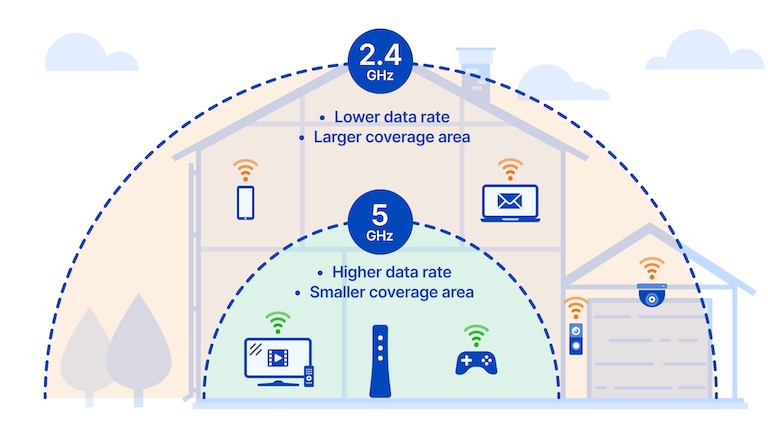
5 GHZ
- Typically used by games consoles and laptops
- Useful for streaming high-bandwidth such as games or video conferencing
- Works best on short range when the device is close to the router
2.4 GHZ
- Typically used by mobile phones or smart home devices
- Useful for larger homes when device is further from the router
- Shorter wave length travels through solid walls better
The choice of 2.4GHz is perfect for a treadmill. It’s ideally suited for connectivity in a large house or a garage gym, which might be further from your router or have to travel through more walls.
Bluetooth
NoblePro Elite E8i uses two Bluetooth modules to communicate with apps and devices: FTMS and BLE HRM.
FTMS (FiTness Machine Service protocol) — is the latest Bluetooth standard used to control fitness equipment.
NoblePro Elite series treadmills are fully compatible which means that if the app supports the FTMS feature, it will get the data from the treadmill.
BLE HRM — connects your heart rate chest strap via BLE to the treadmill heart rate data into the treadmill ecosystem.
We feel that both the WiFi and Bluetooth connectivity is excellent for the Elite E8i. We liked the fact that it can only connect to a 2.4GHz network so that you can easily connect if you are further away from the router.
Audio
☆☆☆☆☆☆☆☆☆☆ 9/10
We tested the audio extensively, listening to Spotify and streaming YouTube and TV shows.
When it comes to audio, there are five options:
1. Stream audio from onboard apps and play it through the onboard speakers
Sadly, the speakers are the weakest part of the treadmill.
While it’s perfectly audible if you’re walking, by the time we got our heavy-footed testers running, it wasn’t anywhere near loud enough for us — especially our Sonos-loving audio geek who twitches when there’s no bass and won’t accept anything short of cinema-quality sound.
2. Stream audio from your phone and play it through the onboard speakers
While possible, not something we’d recommend due to the above point.
3. Plug some headphones in to the audio jack
What is this 2010? Who uses wired headphones these days?
4. Plug in a USB bluetooth dongle and broadcast to your own bluetooth speaker
Now you’re talking! The audio geek can crank up the volume (and bass) as much as they like.
5. Plug in a USB bluetooth dongle and broadcast to some wireless earpods
This is exactly what we did after the first couple of days of testing.
We connected the treadmill to our Apple AirPods Pro and turned on the noise-cancelling function.
Then ran for miles and miles, in all-encompassing, head-filling audio.
With this setup, you can’t even hear your feet land, and the inner audio geek is truly happy.
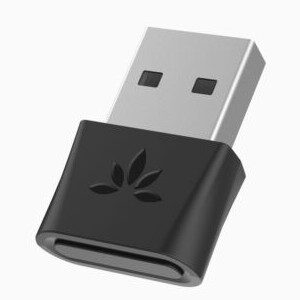
This is the bluetooth dongle we used.
It’s the same one that comes with the Runner package from NoblePro (they also include some Bluetooth earpods).
So, we took a point off the audio for the speakers not being very loud.
But having the ability to connect via Bluetooth to your favourite speakers or earpods means you’ll get all the audio you need — no matter how geeky you are.
Software updates
☆☆☆☆☆☆☆☆☆☆ 10/10
The NoblePro Elite E8i has lifetime free software upgrades. There are no hidden costs or subscriptions that lock you into monthly payments.
NoblePro is constantly investing in its development and you can follow its updates via their support category: Changelog
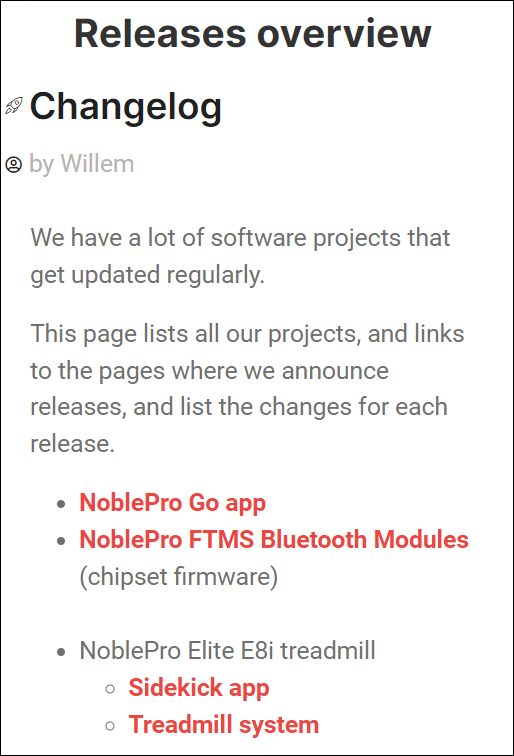
For example, the NoblePro E8i Sidekick app launched on the 4th of April 2022 — since then, the dev team have regularly released updates to fix bugs and make improvements.
The E8i Treadmill system shows similar release notes with fixes and improvements in features, including a complete overhaul for the maintenance screen.
Physical features
☆☆☆☆☆☆☆☆☆☆ 9/10
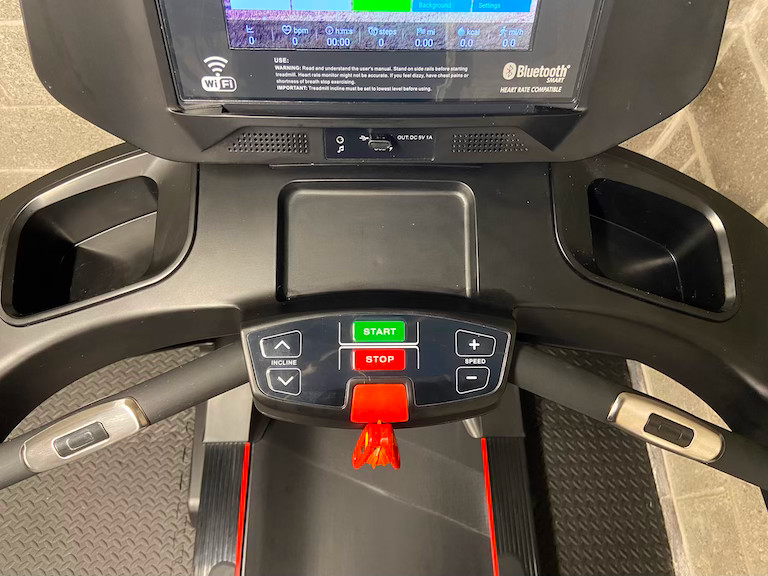
Both NoblePro Treadmills have decent-sized consoles with enough space to store a water bottle, your phone, and anything else you’d like to bring on your run.
A feature that is a great improvement on traditional treadmills is a specific space to position your phone or even an iPad so that it’s just below the screen.
No more trying to balance your phone in a water bottle holder or strapping it to the treadmill to stop it from falling off.
The only negative point to this part of the treadmill is that the fan is very weak.
You can hardly feel it.
So if you like your runs breezy, we’d recommend you include something like one of these gym fans in your budget.
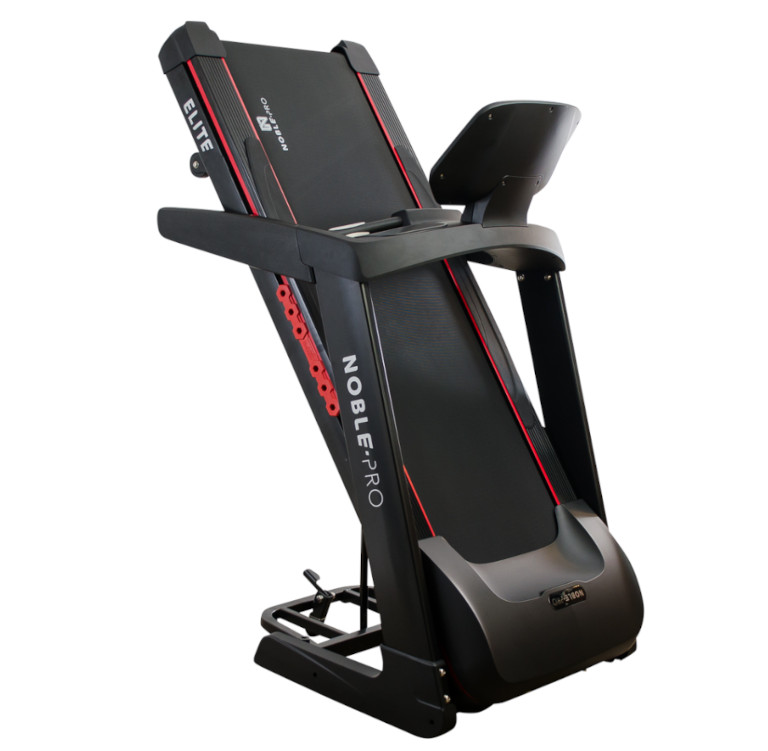
If you’re limited space-wise, the NoblePro Elite treadmills can be folded up.
Dimensions folded: 1300 mm x 860 mm x 1525 mm
Dimensions unfolded: 1880 mm x 860 mm x 1450 mm
Watch the video below to see how to fold and move it.
The NoblePro Elite E8i treadmill has everything we would want in terms of features. There’s more than enough space to store things and we love the fact that your phone sits securely on the console.
The only improvement would be a more powerful fan but that really is a minor issue for us.
Despite its size, it can be easily folded up. It is heavy but the addition of a transportation wheel that clips down into place helps to move the treadmill.
It’s solid and sturdy, so you feel safe running at full pace.
Support and Troubleshooting
Apart from a comprehensive support centre on its site, NoblePro also has excellent customer service.
Many of the reviews raved about their service and we found the same thing when reaching out to them — our questions were answered and any issues were addressed very promptly.
Support area
If you don’t feel like contacting customer support, you can find help under Technical Support on the footer of their homepage. This area will give you access to some of the more popular support questions.
- Troubleshooting — You can find help here for various issues such as WiFi authentication issues, Netflix audio being out of sync, testing the speaker volume, and what to do if the electricity keeps tripping. Of course, you can always contact their support team for help.
- Repair guides — Help articles on how to fix various issues such as replacing the rear roller replacement, the running board, and how to replace the safety key switch.
- Maintenance — Help guides for how to lubricate your incline mechanism, how to store your treadmill, how to adjust a treadmill belt and motor torque optimisation.
- Insight / News — Lists the projects and links to pages where they announce the releases.
- Elite E8i – articles related specifically to the E8i
YouTube Channel
NoblePro also has quite a few videos on its YouTube channel to guide you through various issues such as how to connect to Zwift, adjust the tension and alignment, and how to lubricate the treadmill.
The videos are quick and very easy to follow.
NoblePro Warranty
NoblePro offers an extended warranty for home-use treadmills. The warranties are non-transferable and are only valid for the original owner of the equipment.
The warranty only applies if the treadmill has been used as intended and maintained and serviced as prescribed.
Here’s what they cover from the date of delivery:
- A 5-year warranty for the frame platform (the steel structure or frame)
- A 5-year warranty on the motor and its components for defects in workmanship and materials
- Treadmill belt – a 2-year warranty for defects in workmanship and materials
- A 12-month warranty on the Touchscreen
- Labour 12-month warranty – NoblePro will cover the labour cost for the repair or replacement of parts for a period of 12 months from the date of the original delivery
For more on their warranty, we recommend spending some time reading through their Warranty section in the footer of their homepage.
FAQs
How to balance the NoblePro Elite E8i treadmill
The Noble Pro Elite E8i has 4 adjustable feet to help balance your treadmill. When the treadmill is folded, give it a shake to identify which foot is not touching the ground. You can adjust the foot clockwise until the foot touches the ground. Test the treadmill again, and adjust accordingly until it’s stable.
How to tension the NoblePro treadmill motor belt
Before touching any of the components, make sure that the treadmill is turned off and unplugged from the wall. You’ll need to remove the motor cover and then loosen the motor retainer bolts.
Tighten the tensioning bolt clockwise one rotation and then retighten the motor retainer bolts. Reinstall the motor cover.
How to move a NoblePro Elite E8i treadmill
Place the treadmill into the storage position. Raise the back of the treadmill until the little transportation wheel clicks into place.
Move the treadmill into position, lift the back and press the lever with your foot to release the transportation wheel. Lower the running deck.
How to connect NoblePro Elite E8i treadmill to Zwift
Open Zwift on your device and search for paired devices. Select Noble Pro Elite E8i and pair.
The NoblePro Elite E8i – should you buy it?
So what’s the upshot of this NoblePro Elite E8i treadmill review?
Do not buy the NoblePro Elite E8i if:
- You want a fully instructor-led workout.
For that, you’d be better off going for a NordicTrack or Bowflex. But be prepared for the monthly fees and be aware if you stop paying, you’ll have problems streaming entertainment.
Do buy the NoblePro Elite E8i if:
- You want an easy-to-use fast, powerful auto-inclining treadmill
- You want a treadmill that’s suitable for the whole family — from beginner through to the most elite runner
- You want access to the Kinni workout app, with a lifetime of workouts that connects seamlessly
- You want WiFi app TV streaming from Netflix, Amazon Prime, BBC Iplayer, Disney+ etc
- You don’t want to be tied into an ongoing monthly membership plan