The Joggo Run app is a beginner-friendly running training app that’s designed to help you lose weight, exercise more, and live a healthier lifestyle.
In this detailed Joggo Review — based on our own experience in trying out
Our verdict: 4.4
4.4/5
We love
We also loved the 3-pillar approach for weight loss success:
- Personal Training
- Education
- Motivation & Support
This approach gives you the benefits of a personal trainer, dietician, and motivational coach, for about 5% of the equivalent price.
If you are looking to kickstart your weight loss journey through a regular running routine and a healthy diet that’s easy to maintain, then
Take Joggo Quiz
[lasso ref=”running-plan-for-weight-loss-joggo” id=”21422″ link_id=”18580″ title_url=”https://kilohealth.go2cloud.org/aff_c?offer_id=33&aff_id=2996&url_id=342&source=joggo-review-refund-offer” primary_url=”https://kilohealth.go2cloud.org/aff_c?offer_id=33&aff_id=2996&url_id=342&source=joggo-review-refund-offer” title=”Get Joggo for FREE!!”]
In this
How we rated Joggo
Price
90%
Weight tracking
70%
Meal plans
80%
Food journal
70%
Educational resources
100%
Running & workout plans
90%
Run analysis
80%
Run & workout journal
80%
Configuration settings
100%
For this
All features were weighted, and then evaluated against comparable products. Where we found other products had superior capabilities we deducted points from
Finally, the functional scorings were multiplied against their weightings to determine the overall score.
If you’re short on time, read our Joggo Review: Overview of The Running Weight Loss App that covers all the key points.
Pros & Cons of the Joggo App
Pros
- Fully-guided personalized running plan including warmups and post-run stretches
- Affordable running subscription service compared to other weight loss apps
- Easy-to-follow personalized meal plans
- Easy-to-scale meal portions for rest of family
- Personalized training plan that includes fully-guided bodyweight workouts
- No pressure and a “take it easy on yourself” approach
- Bite-sized educational articles to guide your weight loss and running journey
- Motivational and inspirational tips plus a focus on your emotional wellbeing after a run or workout
Cons
- Can’t record your own food
- No free trial
| ⭐ Rating: | 4.4★★★★★ |
| ✅ Main benefits | Personalized meal, running and workout plans, suitable for everyone |
| 📲 Mobile OS | iOS and Android |
| 💵 Price | From $11 per month |
| ⌚ Apple Watch friendly? | Yes |
| 👟 How to get started | Take Joggo Quiz |
What’s covered in this review?
Who is Joggo for?
Joggo is for you if you’re looking for a beginner-friendly running app that helps you lose weight through a combination of healthy eating, supported by prepared meal plans, and a personalized running plan and training plan.
No matter your level of experience or fitness, the app provides an elite-trainer-approved personalized program to each user. It’s ideal if you are wanting to improve your health and fitness.
Joggo is not for you
- If you are just looking for a running plan on its own. Take a look at Nike Run Club or Tikki instead.
- If you’re just after tracking your food and weight. Go with the free option of MyFitnessPal, or for full-on psychology-based dieting, check out Noom.
No matter your level of experience or fitness, the
Whatever your running experience, Joggo has you covered
- Complete beginners who have never jogged or run before
- Average or occasional runners who would like to become faster and fitter
- Experienced runners who would like to improve their pace and overall running skill
Using
How Joggo works
Joggo is an easy-to-use app. It gives you a personalized training schedule to guide and inspire you to reach your goals.
Anyone can use and benefit from
Here’s what’s included:
- A personalized running program with 14 levels of progression — from level 1 walker to level 14 pro, you can steadily progress at your own pace.
- A run tracker that uses GPS tracking and measures your route, distance, elevation, and speed. It also tracks your free runs and your activity history.
- Easy-to-follow workouts that require no equipment — including stretching.
- Treadmill mode — you can use the app on any surface including treadmills.
- A personalized meal plan with easy recipes that you can adjust depending on your allergies and preferences.
- A weight loss tracker — stay motivated as you see the weight decrease as you progress through your program.
- Audio guidance on each run.
- Bite-sized educational articles on getting started with running, technique, motivation, and more.
Who is Joggo ?

Founded in 2021 by Chris Zibutis — a former ironman and head running coach.
Joggo is a wellness brand and app that’s on a mission to help as many people as possible reach their running goals.
Chris started as a complete beginner. In fact, he couldn’t understand why people loved running until his brother challenged him to run a 10K.
Achieving this goal was life-changing and he set out on a mission to not only inspire his family and friends to run but as many people as possible — and
Is Joggo legit? Our first impression
When we first started reviewing
At first glance, we were concerned as there were several reviews claiming it was a scam. We did some research to find out who owns the app and whether it’s a legitimate company.

Joggo is owned by Kilo.Health — a Lithuanian-based digital health and wellness company currently ranked as the second fastest-growing company in Europe by the FT1000.
Kilo Health aims to revolutionize the digital health and wellness space by creating new tech products and helping startups in the industry to grow.
So despite what you might see in some reviews: Joggo is definitely not a scam.
A closer look at the negative reviews
Once reassured that
- Cancellation issues
- Software issues
However, we did notice that every negative comment had been responded to and addressed.
We contacted
Cancellation issues
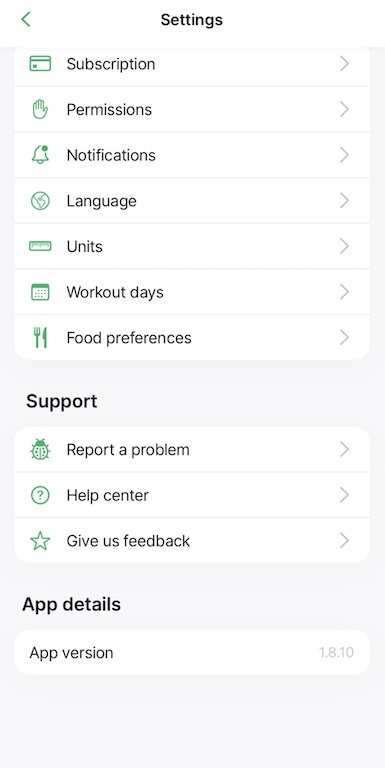
In the early days of launching, they marketed heavily and didn’t have enough messaging to help customers understand how to cancel. However, this issue has now been fixed and it’s easy to cancel your subscription under Settings | Subscription | Cancel.
Software issues
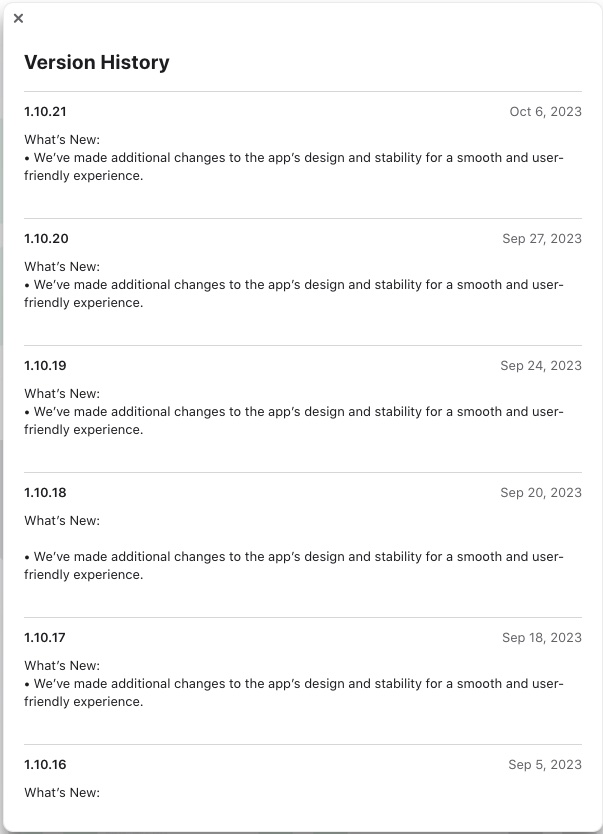
The development team is constantly improving the app. The history on the app store shows them updating consistently every few days with bugs fixed and design improved.
Feeling reassured that
How to start using Joggo
It’s very easy to get started on
Click the green button to take the Joggo Quiz.
It takes about a minute to complete. The app gathers all the info that
The Joggo quiz
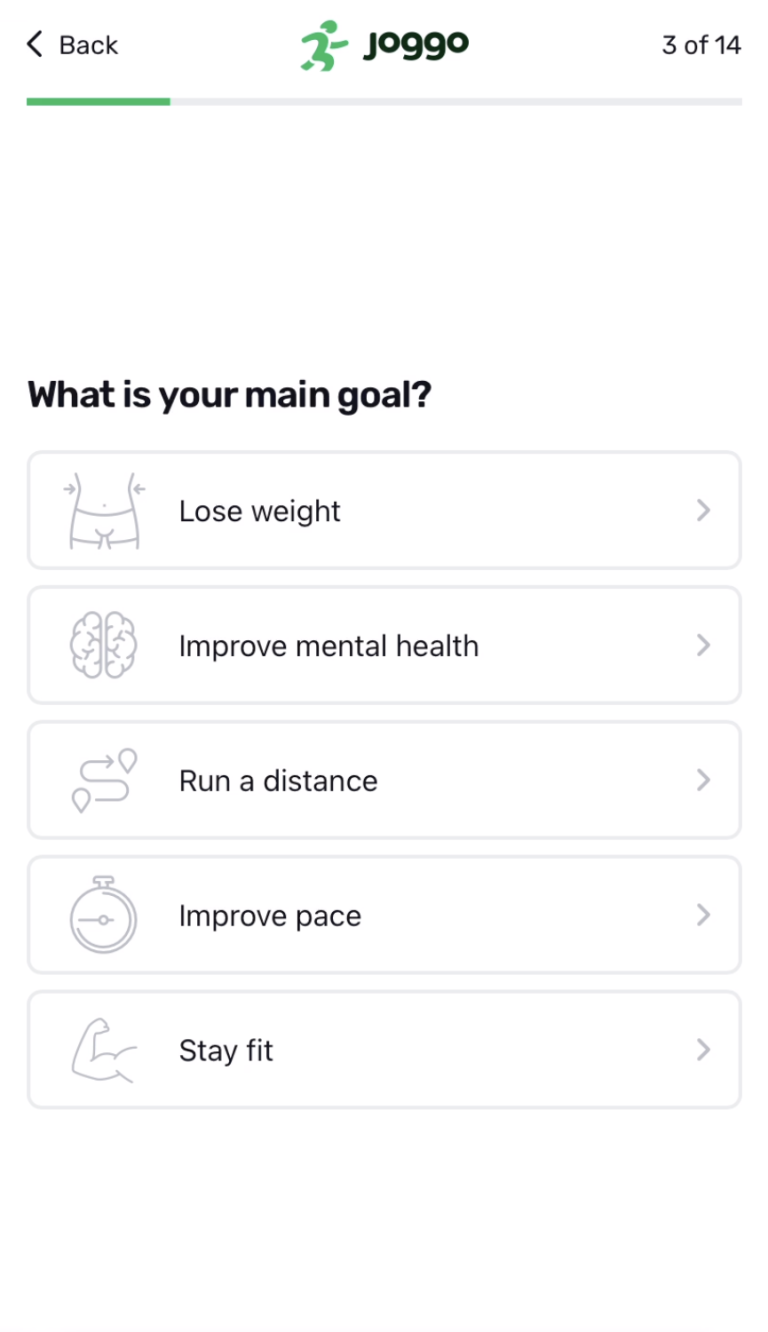
The
- Your health goals and current perceived fitness level.
- When you prefer to exercise and how many days you can train.
- Your emotions from the past week.
- If you’d like a meal plan included in your program and your dietary preferences.
It then calculates your BMI and daily calorie requirements and estimates how long it will take you to reach your goal.
To complete the quiz, simply add your email address and
Once you’ve read the summary, simply select Start Now to get going.
Download the Joggo app
iPhone
To download the app on your iPhone, head over to the App Store and search for Joggo – Running Coach
Android
To download the app on your android device, go to Google Play and search for Joggo
Set your permission settings
Joggo needs your permission to know your location so that it can measure your speed, distance traveled, and any other relevant metrics.
It’s important to note that the app won’t work properly if you don’t grant it permission. To set your permissions go to Settings | Permissions | Location.
Also, remember to turn the Motion & fitness toggle on so that the app can use your steps and phone movements as well as your location to improve tracking performance. (It also saves your battery.)
To do this, go to Settings | Permissions | Motion & fitness
How much does the Joggo App cost? Price
9/10
Joggo has a subscription-based pricing structure. You can choose between a 2-month, 4-month, or 6-month running plan and can cancel at any time.
The pricing varies depending on the subscription that you choose. First-time subscribers have a 50% discounted rate, so keep this in mind when renewing your subscription.
Joggo accepts all major credit cards and Paypal as payment methods.
Initial pricing
Depending on the subscription you choose,
The amount is billed as a total for the subscription period. For example, for 2-months, you’ll be billed $33 for your first subscription.
2 Months
$
33
- VS
- Noom $119
- Personal Trainer (2 hrs a week @$50 per hr) $800
4 Months
$
46
- VS
- Noom $159
- Personal Trainer (2 hrs a week @$50 per hr) $1,600
6 Months
$
66
- VS
- Noom $169
- Personal Trainer (2 hrs a week @$50 per hr) $2,400
Joggo is one of the few apps that provide personalized running plans, workouts, meal plans, and recipes, plus a progress tracker, and more.
It’s like having a personal trainer, running coach, and dietician all in one but costs far less than hiring all three experts.
Most apps available either focus on just running, only workouts, or only diet. There are very few that combine all three in manageable programs that are specifically tailored to you.
The standard renewal price of
Renewal pricing
As first-time subscribers have a 50% discount rate for all subscription options, the standard subscription renewal prices are as follows:
- 2 months – $66
- 4 months – $92
- 6 months – $132
This is something to keep in mind when you renew your subscription.
Overall, we felt that
[lasso ref=”running-plan-for-weight-loss-joggo” id=”21422″ link_id=”18581″ primary_url=”https://kilohealth.go2cloud.org/aff_c?offer_id=33&aff_id=2996&url_id=342&source=joggo-review-refund-offer-in-pricing” title_url=”https://kilohealth.go2cloud.org/aff_c?offer_id=33&aff_id=2996&url_id=342&source=joggo-review-refund-offer-in-pricing” title=”Get Joggo for FREE!!” description=”If you walk or run 26.2 miles total you can get a full refund on your purchase. brbr Start by selecting a 6, 4 or 2-month membership. Then follow these 3 simple steps:br br 1. Track you miles in the Joggo app.br2. Walk or run 26.2 miles total over your initial plan term.br 3. Claim a full refund after you receive a congratulations email.”]
Joggo Features
Weight tracking
7/10
One of the many things we love about
Simply log your weight daily or weekly and the app will calculate how much you’ve lost and how much you still have to go to hit your target weight.
Track your weight simply by selecting +Log weight under your profile.
There were a few things that we felt would improve this feature.
- Although the weight graph adequately tracks your progress, it could be scaled a bit differently help to show the maximum impact. Any little thing that keeps you inspired is key.
- We’d also like to see other ways of tracking your progress. A feature to upload progress photographs will give a visual record to keep you motivated.
- We’d also like other ways to measure your progress such as recording hip, thigh, and waist measurements. This is a great way to track weight loss when you are also building muscle.
Although the weight-tracking feature is basic, it is sufficient to keep you motivated and on track.
Have a look at this Joggo before and after for some inspiration.
https://www.youtube.com/watch?v=dnnOuwRkN5E
Meal plan and recipes
8/10
Joggo makes dieting a breeze by providing a personalized meal plan to help you hit your daily calorie requirements so that you can reach your goal.
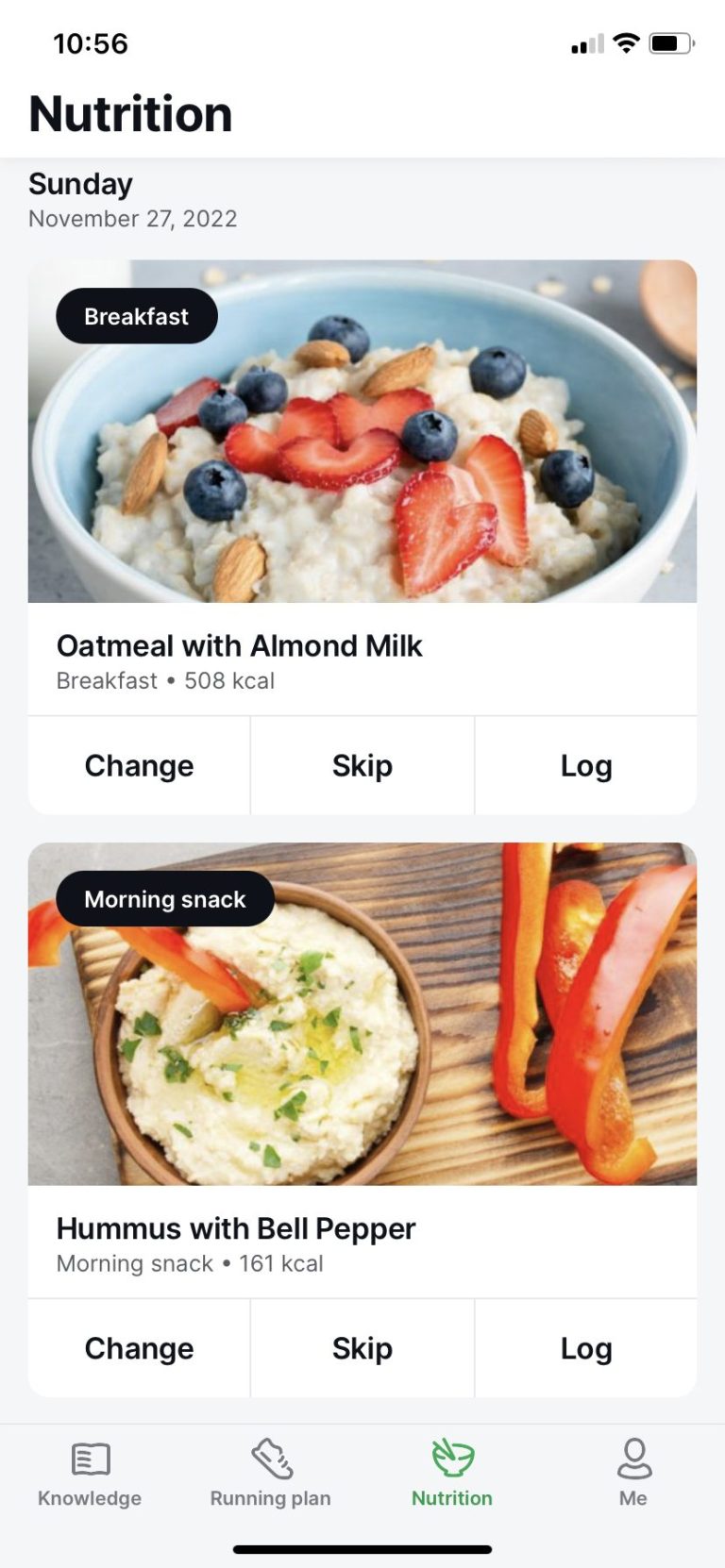
The meal plan is based on your preferences and you have several diets to choose from including:
- Gluten-free
- Vegan
- GERD (Gastroesophageal Reflux Disease)
- Low-fat
- Mediterranean diet
- Diabetes
- Lacto vegetarian
- Ovo vegetarian
- Lacto-ovo vegetarian
- Pescetarian
- Non-restricted
When you complete the
Take a look at our sample Joggo meal plan for a sample of what a weekly plan looks like, along with some example recipes.
The meal plan provides recipes for three meals and two snacks a day which will keep your metabolism firing. You can always swap out the recipe if you don’t like it or perhaps can’t find the ingredients.
A feature that we liked, in particular, was that you can increase the number of servings and the quantities in the recipe will automatically adjust. This is very useful if you are cooking for a family as all you need to do is increase the number of servings and follow the recipe.
It also creates an automatic shopping list, making it super easy to make sure that you have all you need for the week.
Although
The recipe choice is also currently limited and some users might not be able to get all the ingredients. (For example, berries are used in a number of recipes.)
Lastly, we found that it does not always exclude your selected allergens. For example, it included wholewheat bread and cottage cheese / Greek yogurt even though we’d selected a gluten-free and lactose-free diet. However, you can change the option if a particular meal doesn’t work for you.
Despite the above minor improvements, the recipes are easy-to-make and beautifully presented. It also gives you the correct portion sizes and the macro breakdown, and really does make things easy in terms of staying on track.
Food journal
7/10
Tracking your meals is stress-free with
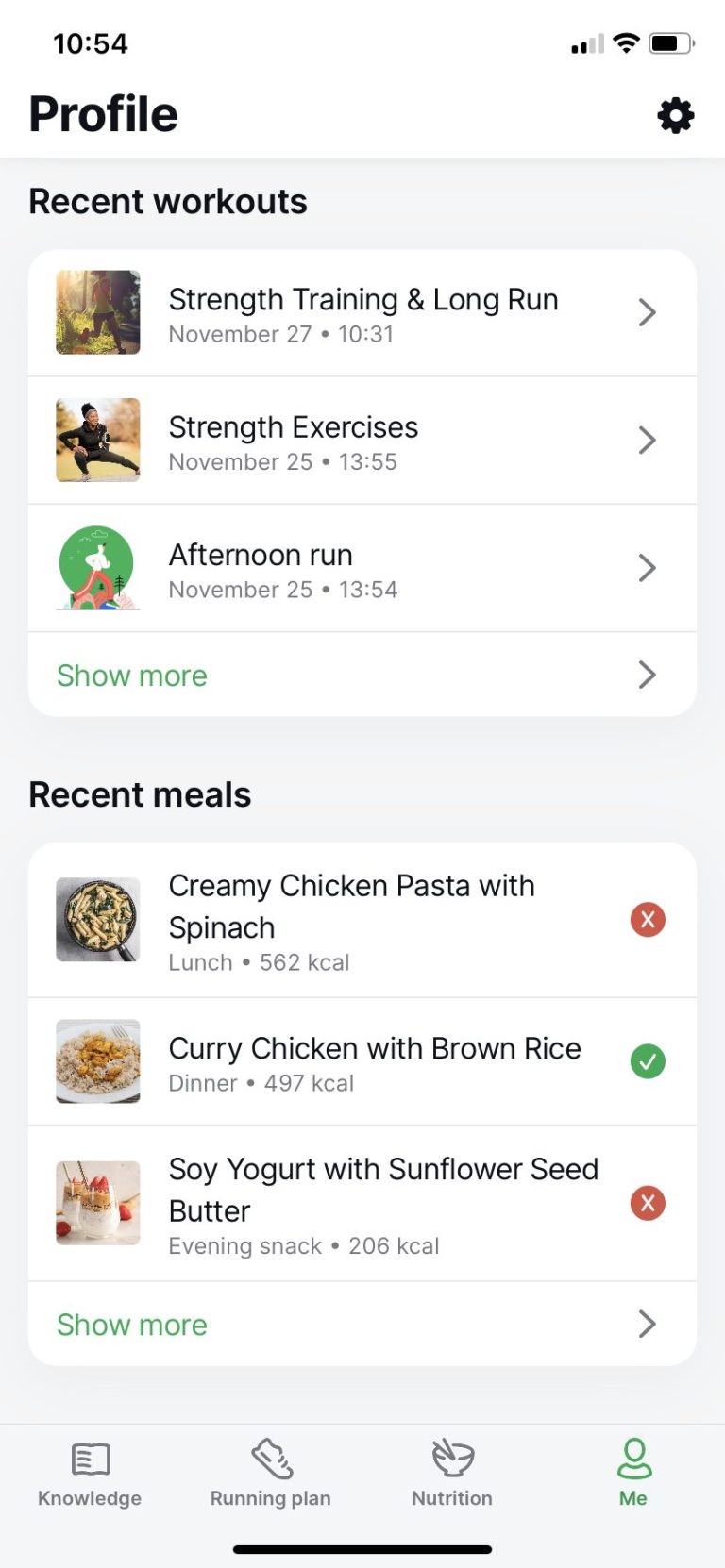
We’d like to have the option to create and log your own meals. This will also help solve the problem of not being able to get all the ingredients for the current recipes. With the ability to log custom food you’d also want to be able to compare daily calories and macros to target calories and macros, something
Compared to other popular food tracking apps such as MyFitnessPal and Calorie Counter, the food journal for
Educational resources — knowledge section
10/10
Joggo has a knowledge feature that can equip you with the knowledge you need to eat healthily, train, and keep yourself injury free. Every article is short and covers the basics. Once you’ve read the article, it’s ticked off on a list so that you can keep track of where you are. It’s also useful if you need to refer back to an article.
The knowledge feature currently has three sections:
Getting started
This area covers everything you would need to know to start running. From what shoes to choose, to how to position your arms, to common mistakes that beginner runners make on their first race day — there are plenty of articles to equip you on your journey as a runner.
Food and nutrition
This helpful resource covers healthy eating and nutrition. It gives you guidance in terms of what to eat before a race, what to avoid, and nutrition mistakes. It also covers salt intake and electrolytes, plus how to use caffeine to boost your running performance.
Health & safety
Ever wondered what causes a side stitch and how to fix it? You’ll find the answers to this and other common problems in the Health & Safety section. This area also covers injury prevention and challenges such as plantar fasciitis, calf cramps, and the runner’s knee.
All-in-all, we gave the knowledge section 10/10 as we found that the articles were short enough to read but with enough information to equip you as a runner. The only thing we felt that was missing was video content for some of the articles. However,
https://www.youtube.com/watch?v=v1Tjp2aD56A
Joggo running plan and workouts
9/10
Joggo first run: The assessment
The first time that you use
Don’t worry, if you’re a complete beginner, walking for the “first free run” is completely fine. What we love about this app is there’s no pressure or judgment if you’ve never run before.
For more on running programs for beginners, read Joggo vs Couch to 5K.
Joggo has 14 levels and, after your first assessment run, it will select your level, set out a two-weekly program, and include the strength workouts for non-running days. After two weeks, there’s another assessment to review your progress and set your next level.
We found that the first assessment was fairly accurate in terms of setting the level for the first two weeks. We also appreciated the strength training days to break up the runs.
What’s great is that you can change your plan at any time. If it’s too challenging, simply select the previous level and vice versa if it’s too easy for you.
To see an example
How to change your Joggo running plan level
Just follow these steps to change your running plan level on
- Open the Running plan tab and scroll down. Select See full plan >
- The app will then show the level that you are at. Scroll left or right to select an easier or more challenging level.
- Scroll down and select Change plan to level X
How to change your workout days
You can also change your workout days at any time, this is helpful if you’re sick or perhaps have other commitments for that day.
- Select Profile | Settings | Workout days
- Choose your preferred workout days and select Finish
How to use the Joggo running plan
To use the plan, go to Running plan and select the day. You’ll then be able to choose between Outdoor or Treadmill.
You can also opt to have warm-ups and cool-downs which we recommend to prevent injuries.
Once you’re ready to go, simply select Start workout.
If you’ve connected your earphones, you’ll be guided through the workout.
At the end of your workout, select Finish to log your workout.
Joggo running plan example
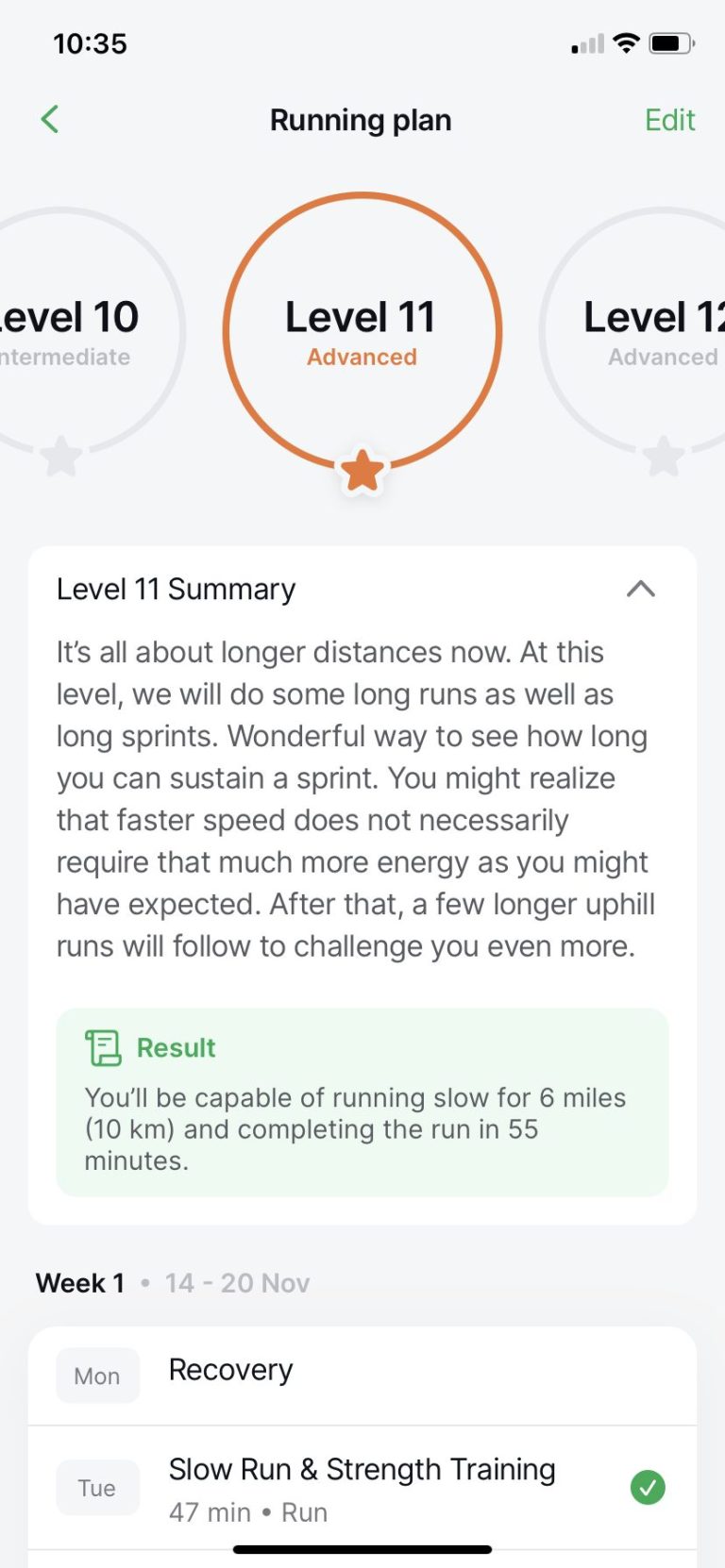
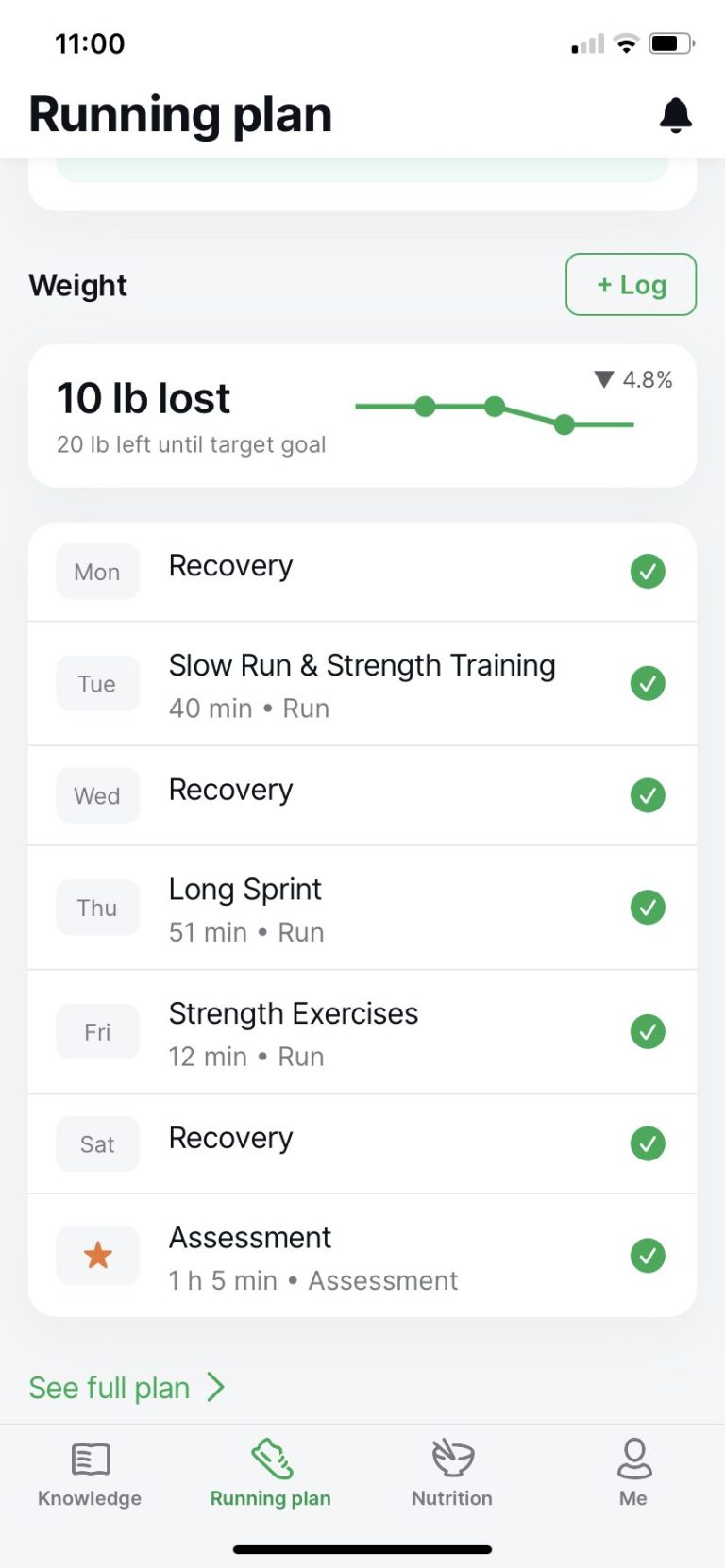
When our experienced runner took the first assessment it set at level 11, which it classed as an advanced runner.
The two-week plan consisted of a mixture of runs varying in length from 30 minutes to 1 hour and accompanied by workouts.
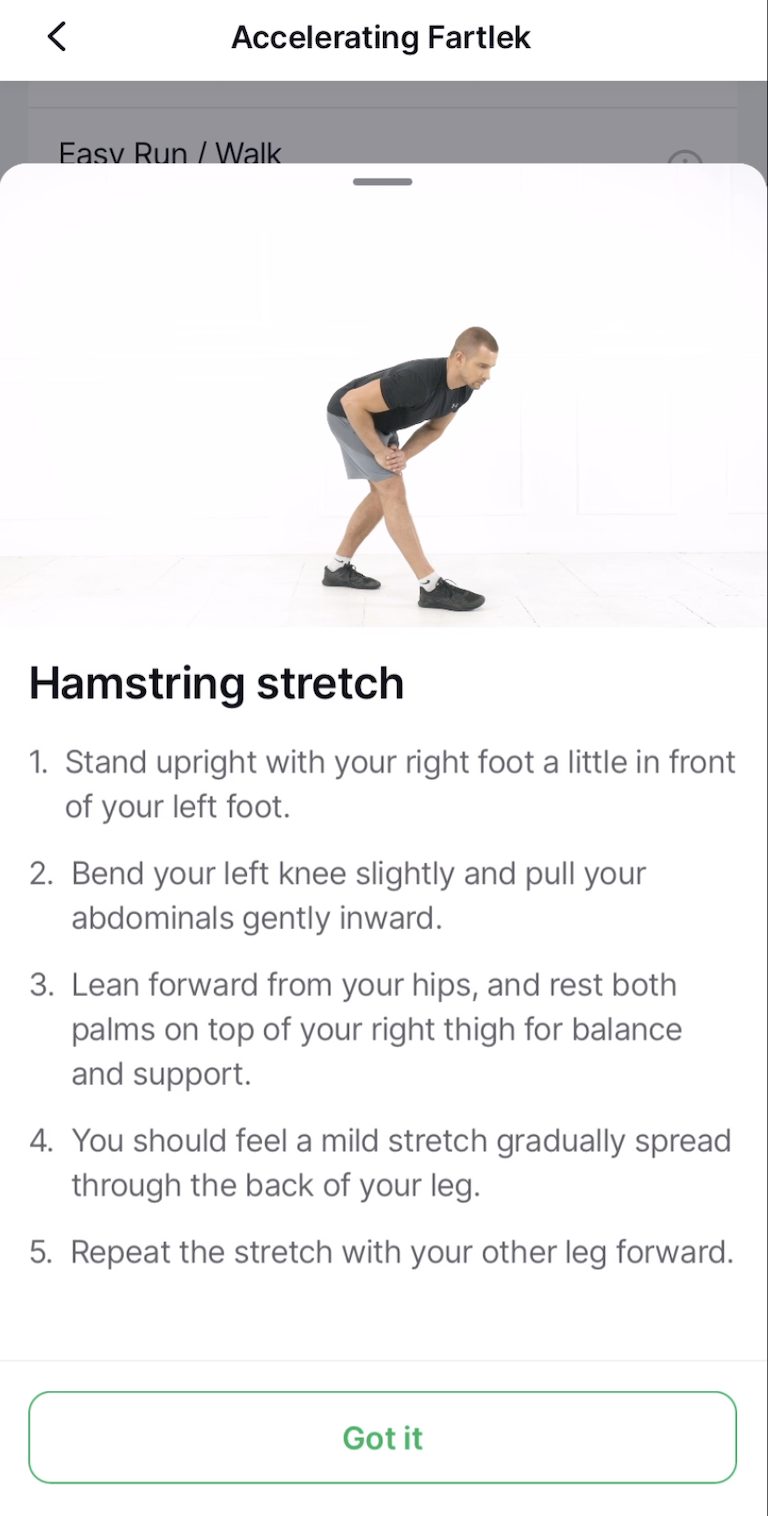
One feature that was very useful was the cool-down stretches — it’s something people often don’t get round to doing constantly, but it’s crucial to prevent injuries like runners knee or problems with your hip-flexors.
The extra workout program is also great to provide a structure for the non-running days. This really helps to keep you in the zone every day and focused.
After completing level 11, the second assessment jumped our experienced runner to level 13. The training in level 13 also included fartlek runs (intervals of fast and slow pace). The training plan was well-paced and structured, at this level it’s very similar to other half-marathon plans.
We also used
How to use the Joggo Free Run option
Joggo also has a Free Run option where you can record any extra run or activity that’s not on your program.
Under Running plan, select Free run. Choose between Treadmill and Outdoor, and select START to begin.
We played with the Free run option a couple of times. Each time it recorded the run accurately with map output similar to what you get from a Garmin watch or Strava.
How to use Joggo on your smartwatch
At the moment,
If automatic downloads on your phone and watch are enabled:
As soon as you download the
If auto-download is disabled:
Open the Watch app on your iPhone. Find
A pop-up should appear on your Apple watch with set-up instructions. Select Setup and use your iPhone to give
- Location service set to Allow always.
- Apple Health permission should be All allowed.
Once done, select Finish | Done
We found that the running and workout plan for
We’d like to see the option of adding custom goal targets such as distance-in-time targets.
For beginners, the assessment and levels are set to prepare you to run and are very manageable. We liked the fact that you have control over what days you work out and can also adjust the levels. The plan also builds good habits such as warming up and cooling down properly.
For more advanced runners, we found the training programs to be well-paced and structured. The training is similar to other advanced running training programs. The cool-down stretches after every run is a great reminder and something that is easily forgotten.
Overall we were very impressed with the running plans.
Run mapping and analysis
8/10
Joggo maps your route and records the following data on every run (including free runs).
- Time
- Distance tracking
- Elevation
- Average pace tracking
- Relative difficulty
- How you felt emotionally on the run
Keep in mind that it does need internet access to record accurately. If you’re in an area that has poor internet access, it might not be that accurate.
What we’d like to see in future iterations is a split analysis of each run to show your pace per mile and a comparison to previous runs. It also currently doesn’t monitor your heart rate. Both of these features would be very useful.
In general, we found the reading to be very close to the Garmin watch and other run apps like Strava.
For beginners and even intermediate runners, the run mapping is adequate. Our beginner tester found it motivating just seeing the distance covered gives you a sense of accomplishment.
Workout journal
8/10
Joggo keeps a history of all your runs and workouts under your profile. Simply select the Me tab and scroll down to see Recent workouts.
Select Show more to see a full history of your runs and workouts.
Select the relevant run to see a map of the run and the info such as time, distance, elevation gain, and average pace.
The workout journal records enough information to help you keep a record of your runs and workouts. An option such as being able to save your own photos would make this feature more memorable.
Configuration settings
10/10
To configure the settings on
You’ll be able to configure the following:
Subscription — see the details of your subscription, you can choose to cancel here as well.
Permissions — Give
Notifications — Slide the toggle on or off if you’d like to receive notifications from
Language — Select between English, French, Spanish, Italian, or Dutch.
Units — You can choose between the Metric or the Imperial system.
Workout days — Select your workout days and
Food preferences — You can adjust your food preferences at any time from this section.
It’s very quick to configure
Joggo Support & Customer Service
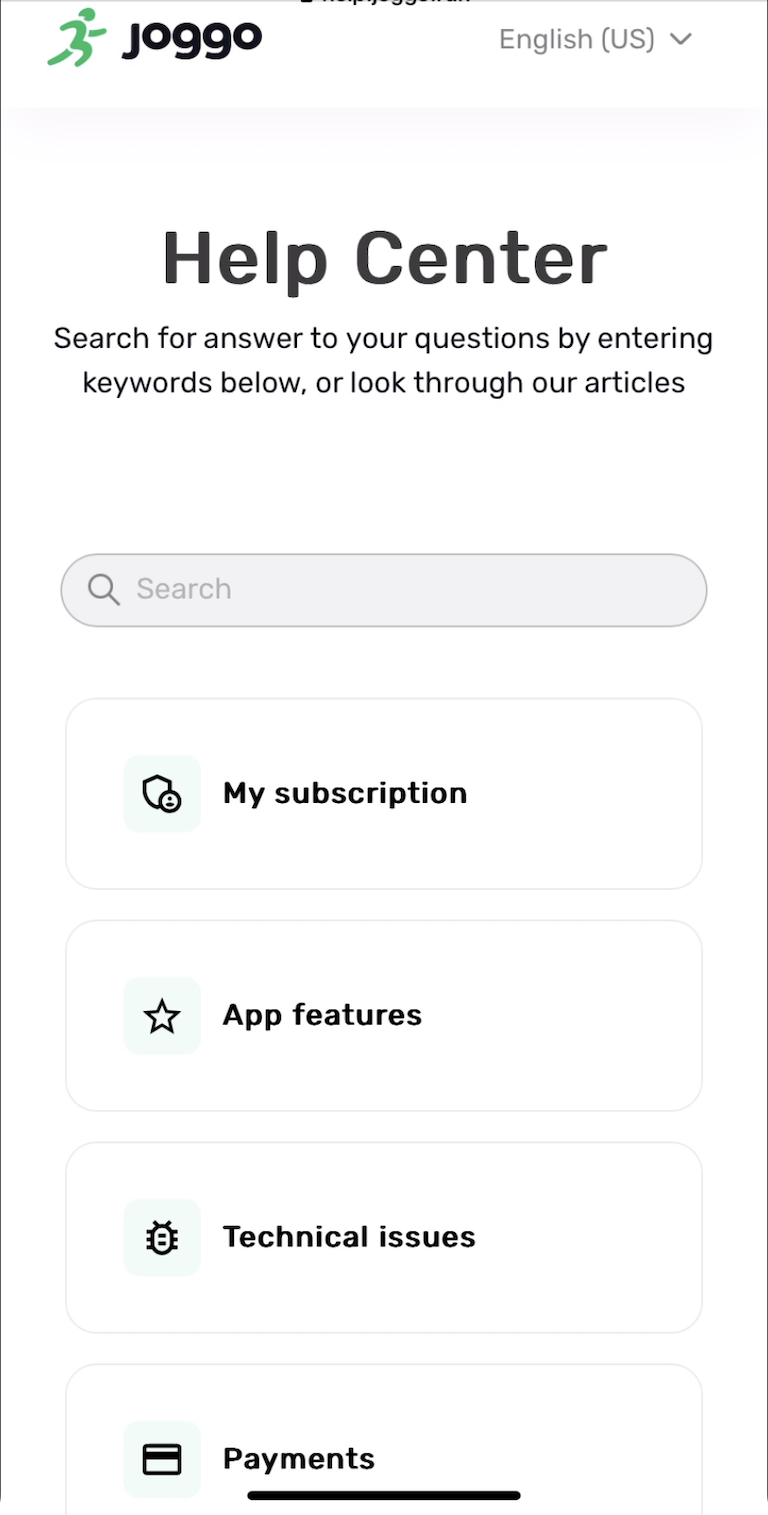
If you need assistance with anything related to
Joggo’s Help Center has four main sections.
My subscription — this area has a few frequently asked questions related to your subscription. This includes how to contact customer support, how to cancel your subscription, and more.
App features — the section is the most comprehensive and covers everything related to the features such as how to navigate the app, how to reset your meal plan, and more.
Technical issues — articles here cover the more frequent technical issues such as what to do if the app is freezing or not working.
Payments — anything related to payments such as
Select the relevant section for your query or use the search bar to enter keywords related to your query. You can also scroll through the articles under each category to find the information that you need.
If you can’t find the answer, at the end of every article is an option to submit a request to their customer service team.
FAQs
Is the Joggo app legit?
Yes,
Is Joggo easy to cancel?
Yes, it’s very easy to cancel your subscription. Simply select Settings | Subscription | Cancel on the app.
How much is a Joggo subscription?
The standard
Can you use Joggo on a treadmill?
Yes, you can!
Can you listen to music with Joggo?
Yes, you can use
Does Joggo work with Apple Watch?
Yes, it does. If you have auto downloads enabled,
Does Joggo help you lose weight?
Yes, users and reviews report losing weight by using
Joggo review conclusion
Overall
Many other apps do bits of what
Joggo is a great way of getting the structure and advice you need to make the changes you want.